
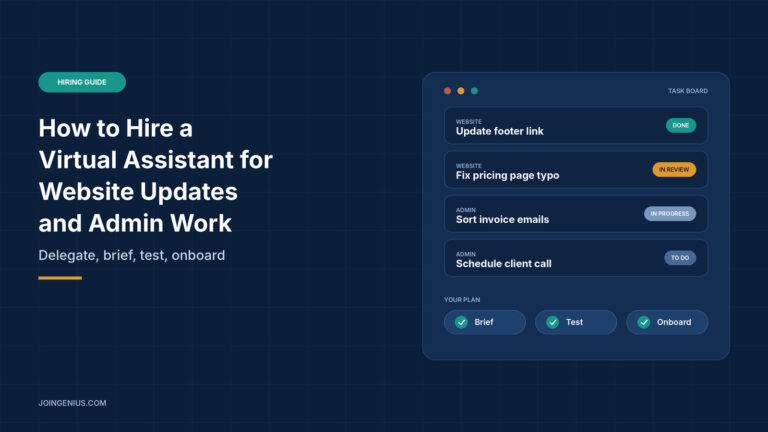
It is Friday evening and you are still working. You have changed a link in the footer, fixed a typo on the pricing page, and answered a pile of invoice emails. None of it was difficult. All of it was small, repeatable and easy for someone else to do. That is the kind of work a virtual assistant is built for.
Hiring one goes wrong when people skip the preparation. They post a vague job, pick the cheapest applicant, hand over every password and hope for the best. A better approach is to decide what to hand over, write a clear brief, test before you commit, and onboard in stages. If you want a sense of the software an assistant may use day to day, this guide to executive assistant tools is a useful reference.
This guide covers what to delegate first, how to write a role brief, where to find and screen candidates, how to run a paid test, how to tighten your own instructions, how to give access safely, and how to set up the first month.
Decide What to Delegate First
Start by looking at your last two weeks. Write down every task that was routine, followed the same steps each time, and did not need your judgment. Those are your first candidates.
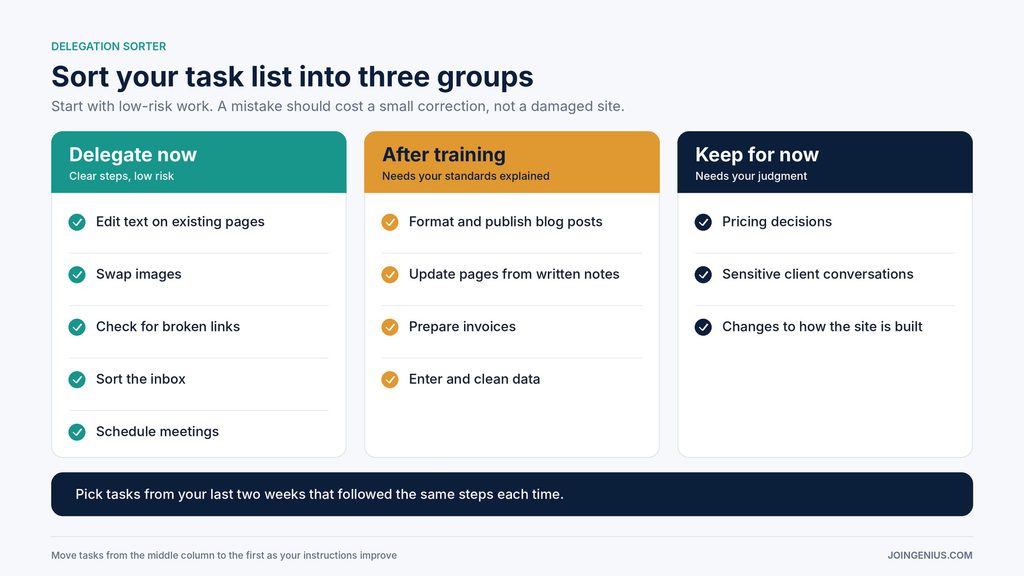
Website tasks that often fit include editing text on existing pages, swapping images, formatting blog posts, checking for broken links, and updating a page from written notes. Admin tasks include sorting your inbox, scheduling meetings, preparing invoices, entering data and keeping shared files tidy.
Sort the list into three groups. Some tasks can go now, because the steps are clear and the risk is low. Some can go after training, because they need your standards explained first. Some you should keep, at least for now, such as pricing decisions, sensitive client conversations and anything that changes how the site is built.
Starting with low-risk tasks matters. If something goes wrong, the cost is a small correction, not a damaged website or a lost client.
Write a Clear Role Brief
A role brief is the document that does most of your hiring for you. It tells candidates exactly what they will do, and it gives you something to measure them against.
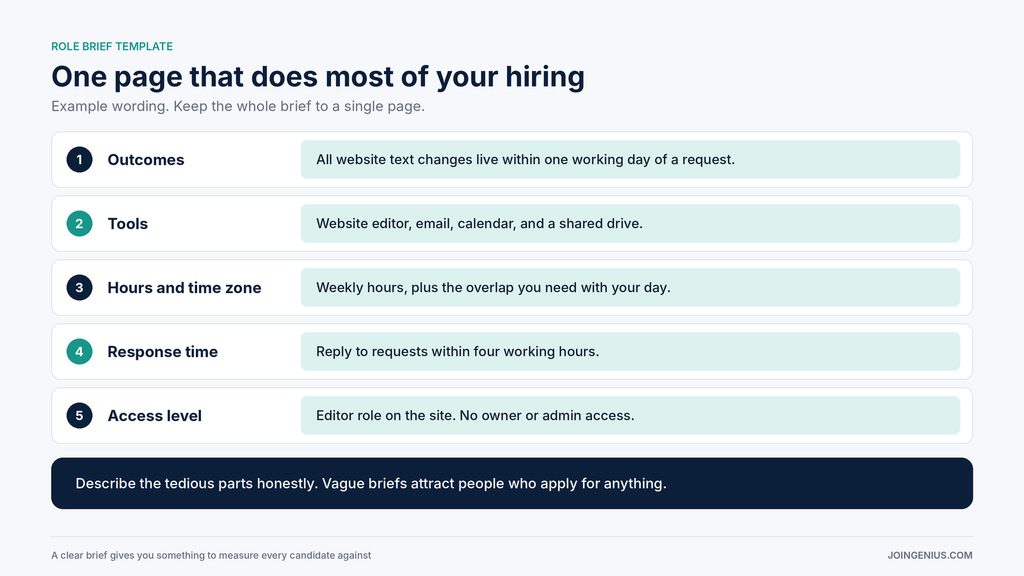
Keep it to one page. State the outcomes you want, such as “all website text changes live within one working day of a request.” List the tools the assistant will use, such as your website editor, email, calendar and shared drive. Give the weekly hours and the time zone overlap you need. Set a response time, so both sides know what “prompt” means. Finally, say what level of access the role needs and what it does not.
Be honest about the work. A brief that describes the tedious parts attracts people who are happy to do them. A brief that is vague attracts people who are happy to apply for anything.
Where to Find and Screen Candidates
You can find assistants through freelance marketplaces, specialist agencies, referrals from other founders and your own network. Each has trade-offs. Marketplaces offer choice and speed but need more screening. Agencies take on some of the vetting, usually at a higher price. Referrals tend to be more reliable but are limited in number.
If you are weighing whether to hire locally, abroad or through a provider, this comparison of outsourcing vs offshoring explains the differences in cost, control and compliance.
Whatever the source, screen on the first message. Ask each candidate to describe one similar task they have handled and how they checked their own work. Look for specific answers, clear writing and a question or two about your brief. Candidates who copy and paste a generic reply rarely become careful assistants.
Use a Paid Test Task
A short, paid test tells you more than an interview. Choose a small task that matches the real work, such as updating one page from written instructions or organizing a sample inbox. Give clear instructions and a deadline, and pay for the time.
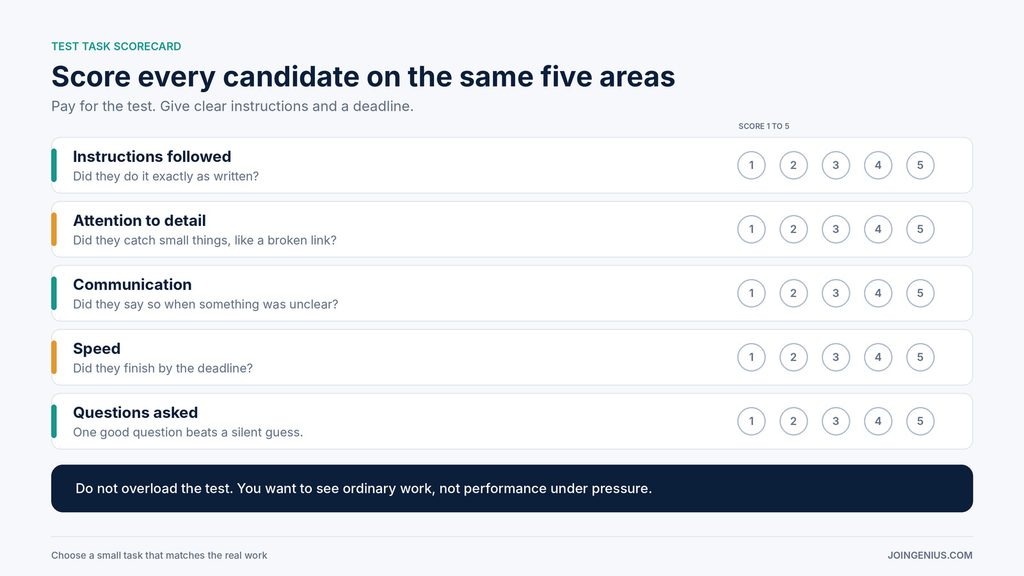
Score every candidate on the same five areas. Did they follow the instructions as written? Did they notice small details, like a missing comma or a broken link? Did they communicate clearly, including telling you when something was unclear? Did they finish on time? And did they ask a sensible question? A candidate who asks one good question usually makes fewer mistakes later than one who guesses silently.
Do not give the test a long list of requirements. You want to see how someone handles ordinary work, not how they perform under pressure.
Editing Your Own Emails Faster Before Delegating Them
Most delegation problems start with the handoff, not the assistant. An unclear email creates follow-up questions, wrong guesses and rework. Tightening your own instructions is therefore part of hiring well.
A writing assistant extension such as RewritePal lets you select text in a supported field and rewrite it, fix grammar or shorten it, and nothing changes until you choose to replace or copy the result.
In practice, this gives you a quick editing step before you send a brief or a request. Write the instruction the way you would say it, select the text, and shorten it or fix the grammar. Then read the result and check that every step still says what you mean. RewritePal lists email replies, support messages and online forms among the places it can be used, so it suits the short messages that fill an assistant’s inbox.
Know the limits before you rely on it. The page says the extension does not work in Google Docs, where you would use the popup tool instead, and that some specialized editors and embedded frames are not supported. Check that the editor you write emails in is supported. It is free to install, and AI rewrites use a daily allowance, with a free account unlocking a higher one.
Be careful about what you paste. RewritePal says rewrites send only the text you submit, but as a general rule you should keep passwords, client details and private numbers out of any rewriting tool. A tool can help with clarity and speed. You are still responsible for the content, so read every instruction before it goes out.
Give Access Safely
Access is where many founders take the biggest risk. Giving an assistant full control on day one is convenient, but it leaves little room for error.
Use a password manager to share logins, instead of sending them in messages, so you can remove access in one step. Give the lowest level of access that lets the person do the job. For a website, that usually means an editor role, not an administrator or owner account. Turn on two-step sign-in where it is offered. Before a new person edits the site, make sure you have a recent backup, so any mistake can be undone.
Write down which accounts the assistant can reach, and review the list every few months. Remove anything that is no longer needed.
Run a 30-Day Onboarding Plan
The first month decides whether the arrangement works. A simple plan keeps expectations clear.
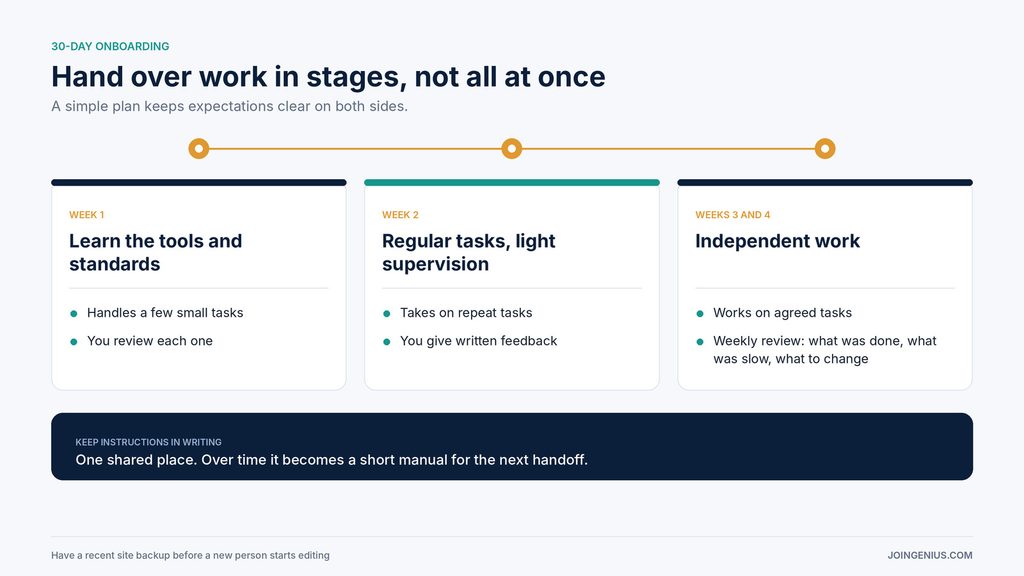
In week one, the assistant learns your tools and standards and handles a few small tasks while you review each one. In week two, they take on regular tasks under light supervision, and you give written feedback. In weeks three and four, they work independently on agreed tasks, and you hold a short weekly review to look at what was done, what was slow and what to change.
Keep instructions in writing, in one shared place. Over time, those notes become a short manual that makes the next handoff easier. If you later hire a second assistant, they can start from the same document.
Red Flags in Your Own Delegation
Watch for these signs. You send tasks by memory instead of in writing. You share logins in chat. You never review the work, or you review everything and stay a bottleneck. Any of these will cost you more time than the assistant saves.
Start Small and Write It Down
A good virtual assistant relationship is built on clarity. Choose a few tasks, write a brief, run a paid test and onboard in stages. Most problems that look like a bad hire turn out to be a missing instruction.
A practical first step is to list five tasks from last week that someone else could have done, and write the steps for the simplest one. That list is the start of your brief, and it shows you what to hand over first. Once the work is flowing, this article on remote employee productivity explains how to track results by output and weekly reviews, without constant check-ins.