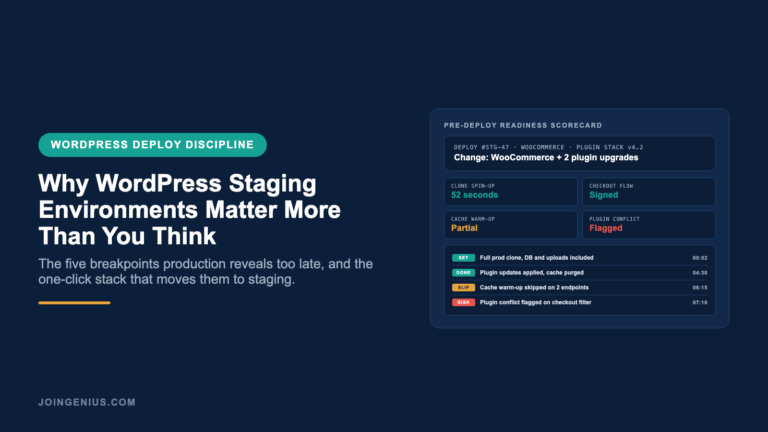
WordPress runs a huge slice of the public web and that scale is the reason staging environments matter so much. Most teams treat staging as a nice-to-have that gets skipped when a deploy feels small or the plugin update looks safe. Then a typo in a template file takes checkout offline or a theme update wipes a block preset no one noticed was load-bearing. A staging environment is the last place to catch any of that before real traffic sees it. This post lays out the breakpoints a real staging flow catches and the one-click stack that makes skipping it indefensible.
What Actually Breaks When You Deploy Straight To Production
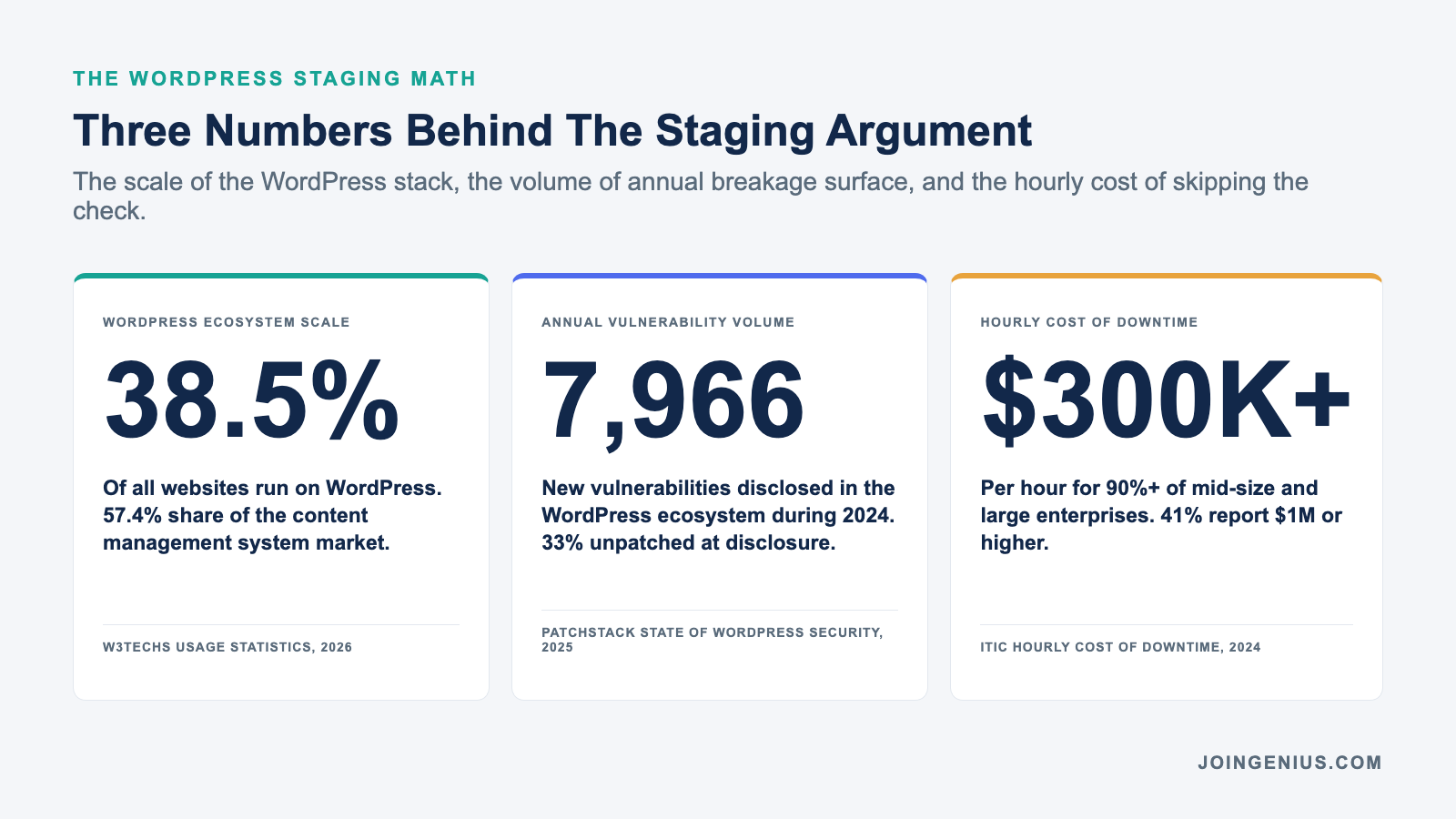
The WordPress ecosystem is not just big, it is a moving target. According to W3Techs usage statistics, WordPress powers 38.5% of all websites and holds 57.4% of the CMS market, which means almost every WordPress deploy touches a stack already carrying years of plugins and custom post types and theme overrides. The scale is not the risk. The accumulation is.
Patchstack’s State of WordPress Security in 2025, co-produced with Sucuri, counted 7,966 new vulnerabilities disclosed in the WordPress ecosystem during 2024. A third of them were not patched in time for public disclosure. Every active plugin or theme on a site is a moving part that a core update or a dependency change can break without warning.
Production is where none of this can be rehearsed. A merge that renders fine on a local Docker image can still throw a white screen when it hits the live database schema and the real cache plugin and the actual CDN layer.
Local environments never fully match production because production carries years of accumulated customer data and session state that no seed fixture can recreate.
The operations managers who ship WordPress without incidents are not the ones writing better code on the first try. They are the ones who stopped merging straight into live and route every change through a copy that mirrors production, instead of relying on a sanitized local sandbox.
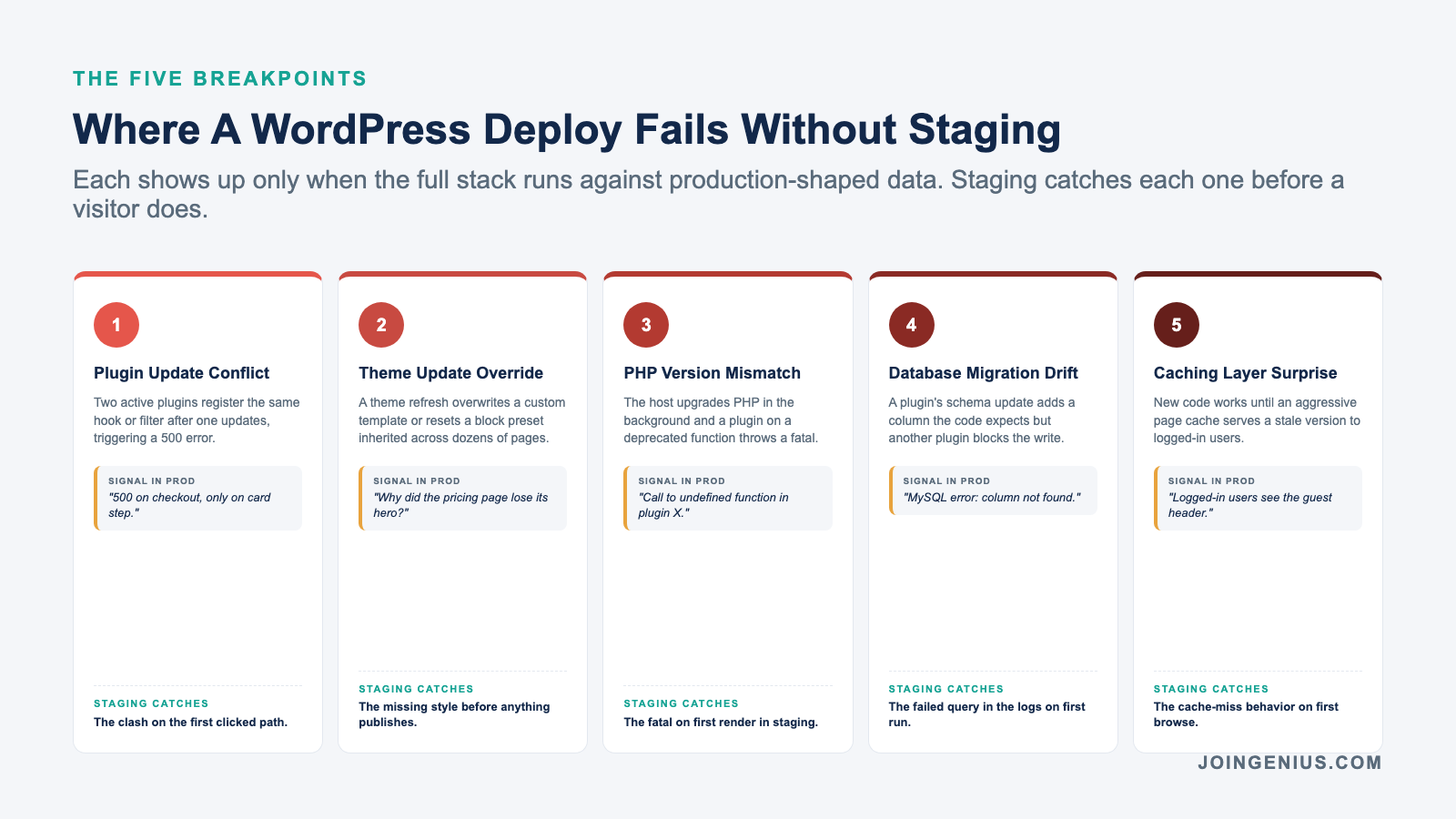
Five Breakpoints Where Production Deploys Fail Without A Staging Step
Most WordPress incidents look different on the postmortem but trace back to the same five classes of failure. Each one is invisible until a page loads for a real visitor. A staging environment that mirrors production is the only place where each one surfaces before it hits a customer.
| Breakpoint | What Goes Wrong | What Staging Catches First |
|---|---|---|
| Plugin Update Conflict | Two active plugins register the same hook or filter after one updates, triggering a 500 error on a specific action like checkout or form submit. | The clash on the first clicked path. |
| Theme Update Override | A theme refresh overwrites a custom template file or resets a block preset inherited across dozens of pages. | The missing style before anything publishes. |
| PHP Version Mismatch | The host upgrades PHP in the background and a plugin depending on a deprecated function throws a fatal error on page load. | The fatal on first render. |
| Database Migration Drift | A plugin’s schema update adds a column the code expects but another plugin blocks the write or renames the field. | The failed query in logs. |
| Caching Layer Surprise | New code works until an aggressive page cache serves a stale version to logged-in users or blocks a dynamic endpoint. | The cache-miss behavior on the first browse. |
None of these show up in a type check or a unit test. Each one surfaces only when the full WordPress stack runs against production-shaped data. A staging flow catches them while a team can still choose whether to roll back a plugin or pick a safer update window.
The True Cost Of A Bad WordPress Deploy
The cost of skipping staging is almost always framed as developer time, when the real number sits on the balance sheet.
The ITIC 2024 Hourly Cost of Downtime report, based on an independent survey of 1,000 firms worldwide fielded November 2023 through mid-March 2024, found that more than 90% of mid-size and large enterprises say one hour of downtime now costs over $300,000 in lost revenue and productivity. Forty-one percent put the figure at a million dollars or higher.
A WordPress site taking checkout offline for 40 minutes during a Friday promotion is not a dev-ops inconvenience. It is a revenue event. For agencies running client sites, the exposure is worse because the client sees the outage before the agency does, and the recovery includes a trust cost that the invoice never recovers.
Recovery time inside business hours is the number that compounds. A 40-minute outage during a promotion drops conversion for the rest of the session.
The SEO cost from any URL returning a 500 during a crawler visit lingers for days, because search engines retry the failed URL and treat sustained errors as a reason to deprioritize the page in the index.
The teams that skip staging are rarely the ones who cannot afford a staging host. They are the ones who have never tallied the actual cost of a single rollback inside business hours. A per-hour downtime figure converts the “staging is overhead” argument into math that almost never favors skipping.
What A Staging Environment Has To Do To Be Worth Running
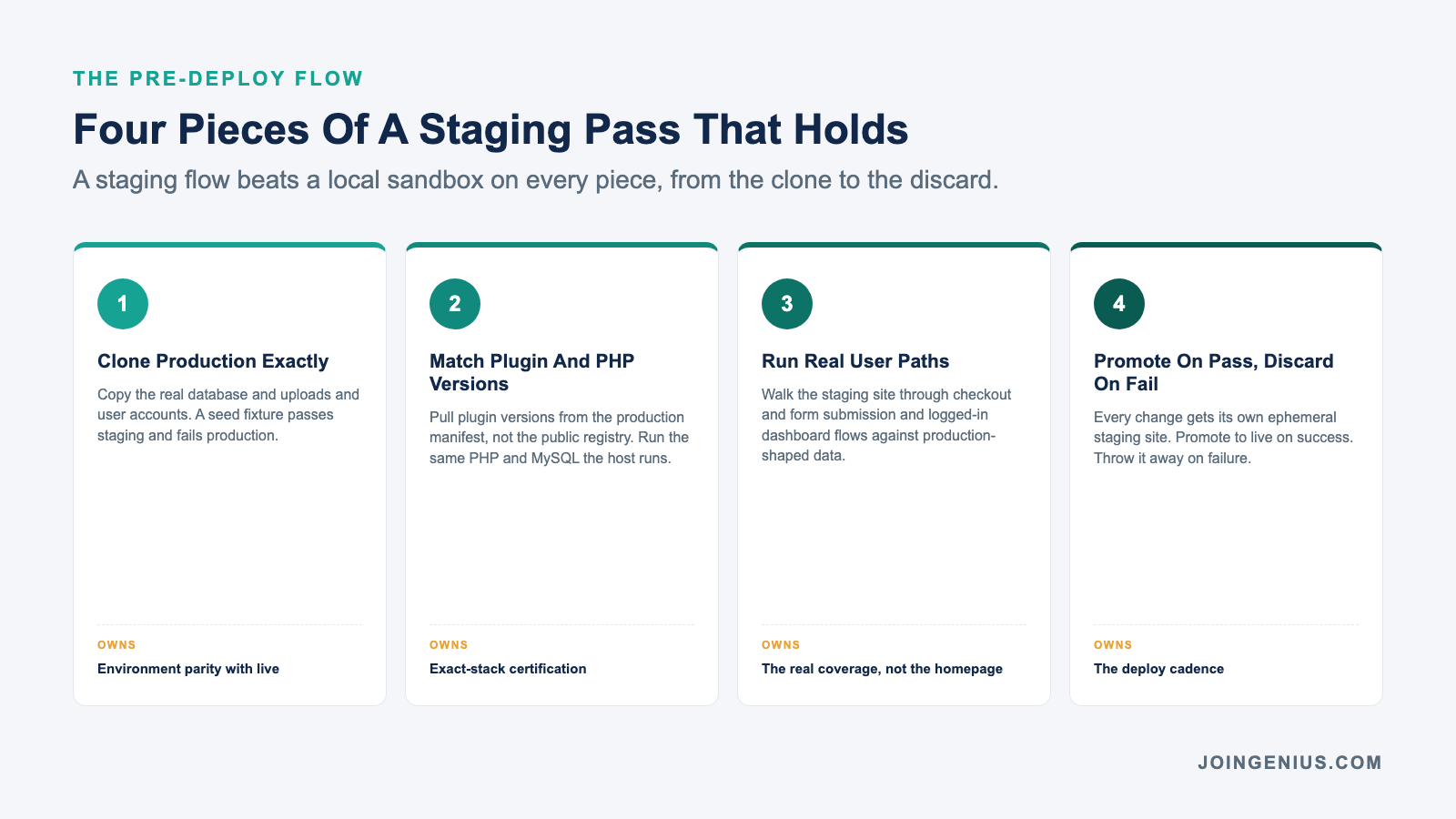
A staging site that only loads the homepage is a false positive machine. For a staging flow to catch the breakpoints above, it has to clone the real production database rather than a sample dump.
It has to run the same PHP and MySQL versions the host is running. And it has to include every active plugin in the exact version the production site is using.
Anything less and a passing staging test still ships a broken deploy. The whole point of staging is to make the environment identical enough that a surprise in production is a bug worth filing, not an environment mismatch worth dismissing.
Plugin version alignment is where most homemade staging stacks slip. A team pulls a plugin from the WordPress.org repo for staging and gets the latest tag, while production is pinned three minor versions behind. The staging pass certifies a stack that production will never see.
Any staging flow worth running pulls plugin versions directly from the production manifest, not from the public registry.
The staging environment also has to be fast to spin up and easy to throw away. A staging site that takes two hours to provision gets skipped on the small changes that most often cause incidents, like a one-line config change or a hot patch to a theme file.
One that persists for weeks starts diverging from production and stops being a mirror.
The real staging workflow is ephemeral. One site per change. Promoted on success and discarded on failure. The full-stack developers who run healthy WordPress deploys treat the staging site as disposable, because the moment a staging site becomes precious, it stops being a staging site.
The One-Click Staging Stack That Removes The Last Excuse
The old objection to staging was infrastructure overhead. Teams had to run a second host and keep its database in sync and manage SSL and migrate code back on the way out.
For a small agency or an in-house WordPress team, the setup time per staging site often exceeded the time saved by catching bugs, which is how staging got cut from the workflow in the first place.
That calculus has flipped. A platform like InstaWP staging sites spins up a full WordPress copy in under a minute from a live production URL and then promotes the finished changes back with one click, so the staging step now costs less time than writing the pre-deploy checklist used to.
The practical effect is that every change, including the ones that used to feel too small to warrant a staging pass, now gets one.
A content editor’s block preset change goes through the same flow as a core plugin update. Front-end developers working on a theme refresh and back-end engineers rolling out a custom plugin each push to the same staging site and promote only after the pre-deploy checks pass.
The staging step stops being the thing that slows deploys and starts being what makes them boring. Boring deploys are the goal. A production push that reads as uneventful is a push that already ran against the real database on a staging site that nobody had to build by hand.
Staging Is Not A Safety Net, It Is The Deploy
The shift that keeps WordPress sites up is not a bigger test suite or a longer QA window. It is a change in what counts as the deploy.
When every push lands on a staging site first and only promotes to production after a real browser pass against real data, the production push stops being a judgment call and becomes a formality.
The incident count drops. The rollback count drops. And the team recovers the hours they used to spend firefighting after a Friday release. Staging stopped being optional the day the one-click tools shipped, which was several years ago for most hosts.
The teams still skipping it are not saving time, they are deferring incident cost onto the future quarter. Every WordPress incident that reaches a customer was preventable at the staging step. Genius builds the WordPress talent that runs those workflows every day, whether that is theme developers or plugin engineers or the operations managers who own the deploy window.