A support lead celebrates a month in which average handle time dropped and the satisfaction score held steady. The dashboard is green. Then she reads a sample of tickets and finds customers writing back a second and third time because the first reply closed the ticket without solving the problem.
The numbers were accurate. They were also measuring something other than the customer’s experience. That is an illustration, not a case study, but it shows how a healthy dashboard can sit on top of an unhealthy experience.
This guide explains why support team metrics can mislead about customer experience, or CX, and how to check yours. It covers what the word “lie” means here, what common metrics show and miss, what research says, where metrics mislead in practice, a four-step audit, and a table of warning signs.
We found no study showing that support metrics lie, and “lie” is shorthand for incomplete proxies. The advice rests on research about related measures and on our reasoning.
What We Mean by “Lie”
A metric rarely lies on purpose. It counts what it was built to count. The trouble starts when a count stands in for something larger, such as a customer feeling helped, and a team is rewarded for moving the count. Then the number can improve while the thing it stood for does not. This pattern is often summarized as Goodhart’s law, an observation from economics about measures that become targets, not a tested rule. It is our reasoning here, not a finding, and it is why the fix is usually a better question and not a better chart.
What Common Support Metrics Show and Miss
Each metric below shows something real. The misses are our reasoning, not measured effects.
- Average handle time. It shows how long contacts take. It can miss whether the problem was solved, since a short call that needs a second call looks efficient.
- First response time. It shows how fast customers hear back. It can miss whether the first reply helped.
- First contact resolution. It shows how often one contact is enough. It can miss customers who gave up and did not return.
- Customer satisfaction, or CSAT. It shows how people rated one interaction. It can miss customers who never answered the survey.
- Net Promoter Score, or NPS. It shows willingness to recommend. It can blur very different journeys into one number.
No single item on this list is wrong. The risk is relying on one, or reading several without a check that connects them to the actual contacts. A useful habit is to ask of every number which customer behavior it is meant to stand for, and what a team could do to move it without changing that behavior.
What the Research Says
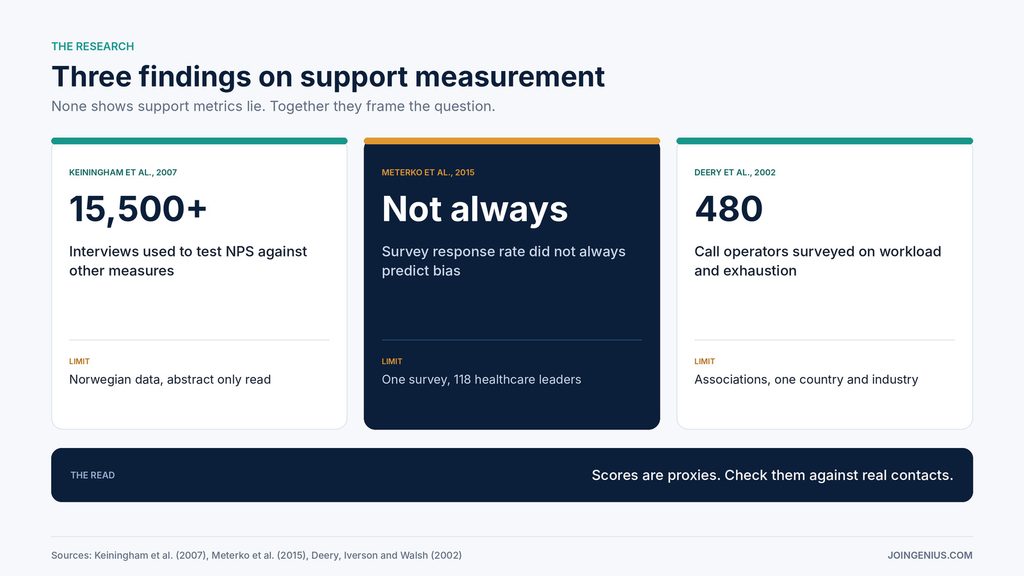
We found three sources that bear on the question. None tests whether support dashboards mislead, and each comes with limits.
Timothy Keiningham, Bruce Cooil, Tor Wallin Andreassen and Lerzan Aksoy tested the claim that Net Promoter beats other measures at predicting growth. Their 2007 Journal of Marketing paper used longitudinal data from 21 firms and more than 15,500 interviews from the Norwegian Customer Satisfaction Barometer. The abstract says the study did not replicate the claim of the metric’s clear superiority over other measures. We read the abstract, and the data come from Norway. The point is modest: one popular score was not shown to be better than the alternatives.
Mark Meterko and colleagues, writing in Public Opinion Quarterly in 2015, examined response rates and nonresponse bias in a web survey of senior healthcare leaders, where 118 of 124 people responded. They report that response rate is not necessarily predictive of nonresponse bias and that low response rates should not be cited as reasons to dismiss results. That cuts both ways.
A small share of customers answering a satisfaction survey does not prove the scores are wrong, but it is a reason to check who is answering. The sample was one group of leaders, and we read the abstract only.
Stephen Deery, Roderick Iverson and Janet Walsh surveyed 480 telephone service operators across five Australian call centres in a 2002 Journal of Management Studies paper. They link customer interactions, high workload and little task variety to emotional exhaustion, and exhaustion to absence. These are associations from one industry in one country, and we read the abstract only. Our reasoning is that a dashboard showing contacts handled per hour says little about the strain behind the number. That is an inference, not a finding.
Where Metrics Mislead in Practice
Five patterns come up often. They are our reasoning, drawn from the sources above and from how teams tend to work.
- Averages hide the long tail. A good average handle time or response time can sit on top of a few customers waiting days, and those customers are often the ones who write the angriest public reviews.
- Surveys capture some customers. Satisfaction scores describe the people who answered, who may differ from those who did not.
- Speed gets rewarded over resolution. When the target is minutes, agents learn to close contacts quickly, and a reply that technically answers the question can still leave the customer stuck.
- One score covers every journey. A billing question and an outage get blended into a single number.
- Workload strain stays invisible. Output metrics rarely show how tired the team is.
None of these patterns means the metric should be dropped. Each means the metric needs a companion that catches what it misses, and someone who reads the underlying contacts often enough to notice when the two disagree. Our guides on customer retention and reducing customer churn cover what happens when unhappy customers quietly leave, and our customer loyalty statistics page collects figures on loyalty.
Compare Your Dashboard With Outside Perspectives
An internal dashboard tends to confirm itself, so it helps to read how others discuss measurement. Trade sites such as CRMXchange publish webcasts, white papers and columns on contact center performance and CX, much of it vendor-sponsored, so treat them as a source of questions to put to your own data, not as proof. We have not tested any claim on the site, and sponsored material tends to favor the sponsor’s product.
Take three questions from any such source back to your own numbers. Which of our metrics could improve while the customer’s experience gets worse? What would we see in a sample of real contacts that the dashboard does not show? Who is missing from our survey results? If your team cannot answer one of them, that is the first gap to close.
It also helps to write the answers down, because a gap that is named in a document is far more likely to be assigned to someone than a gap that is only discussed in a meeting. Our guide to OKRs versus KPIs can help you decide which measures deserve targets and which are only signals.
A Four-Step Plan to Audit Your Metrics
Use this four-step plan every quarter. It is our suggested process, informed by the sources above.
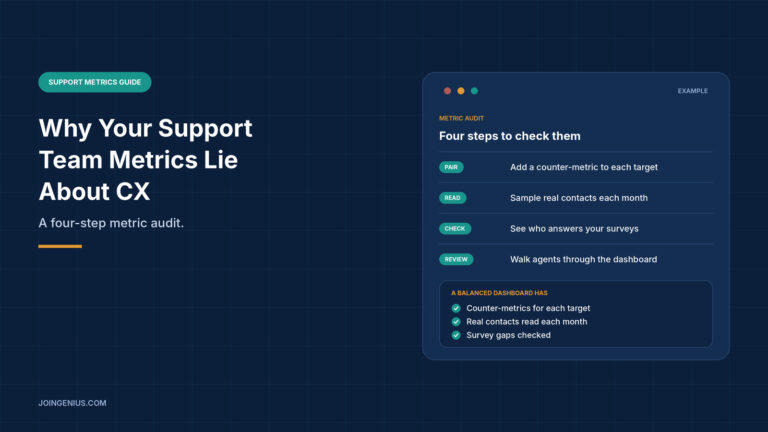
- Pair each metric. Add a counter-metric to every target, such as repeat contacts beside handle time.
- Read real contacts. Read a sample of actual contacts each month and compare what you find with the scores.
- Check who answers. Compare survey respondents with all customers who contacted you.
- Review with agents. Walk the team through the dashboard and ask what it misses.
The last step matters because agents see the gaps before a chart does, and a metric they distrust is a metric they may game or ignore.
![Four-step plan to audit support team metrics, pair each metric, read real contacts, check who answers and review with agents, with what to check at each step]](https://joingenius.com/wp-content/uploads/2026/10/body-2-support-metrics-audit-plan-1024x576.jpg)
Measure Whether the Audit Works
Track repeat contacts, escalations, and agent absence, and keep reading a small sample of contacts each quarter. Compare what the sample shows with what the scores say, and note where they disagree. Name one person who owns the review, and share the results with the agents so they can add what the numbers miss.
Judge over several months, since one quarter can swing for reasons unrelated to your changes, such as a product release or a seasonal spike. These measures are our suggestions, not findings. Our guide to the performance management cycle explains how to build review into the calendar.
Warning Signs Your Metrics Are Misleading You, and What to Do About Each
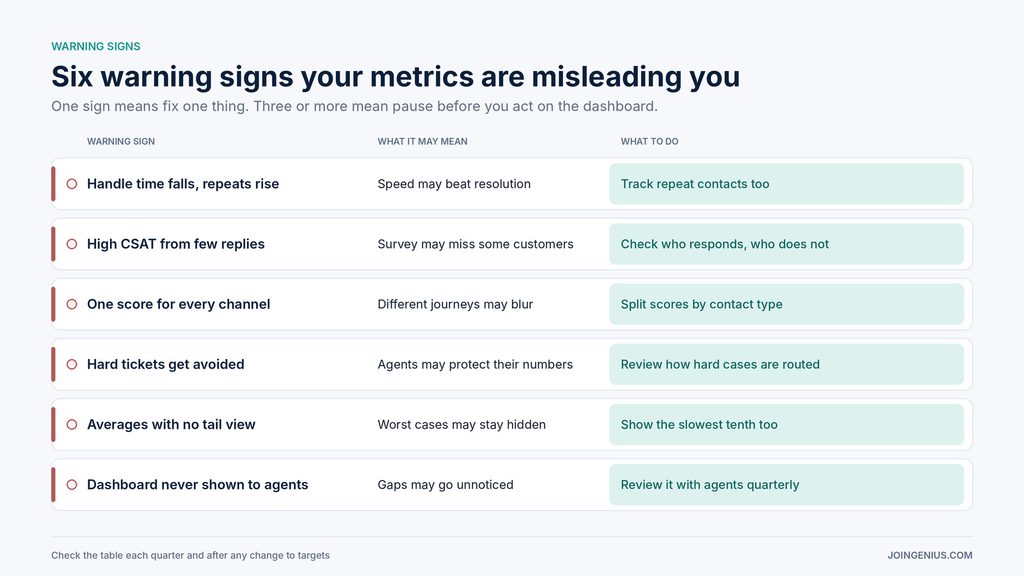
Check this table each quarter. One sign means fix one thing. Three or more mean pause before you act on the dashboard.
| Warning sign | What it may mean | What to do |
|---|---|---|
| Handle time falls, repeats rise | Speed may beat resolution | Track repeat contacts too |
| High CSAT from few replies | Survey may miss some customers | Check who responds, who does not |
| One score for every channel | Different journeys may blur | Split scores by contact type |
| Hard tickets get avoided | Agents may protect their numbers | Review how hard cases are routed |
| Averages with no tail view | Worst cases may stay hidden | Show the slowest tenth too |
| Dashboard never shown to agents | Gaps may go unnoticed | Review it with agents quarterly |
Pair Every Metric With a Check
Support metrics rarely lie outright. They answer a narrower question than the one you care about, which is whether customers feel helped. Pair each target with a counter-metric, read real contacts, check who answers your surveys, and review the dashboard with the people who produce it.
We found no study proving that this audit improves CX, but each step replaces an assumption with something you can check. If a sample of real contacts matches what the scores say, you have a better reason to trust the dashboard than its color could give you.