Most outbound lists start the same way: a job title, a company size and an industry. The result is a long list that looks right on paper, and a message that could have been sent to anyone. Reps send it anyway, and the reply rate tells the rest of the story.
Technology data can sharpen the list. What a company already runs says something about how it works, what it connects to and what it might want to change. Used carefully, that is a better starting point than a title and a headcount. This guide covers defining your customer profile first, choosing technology signals that predict fit, building the query, verifying the data and writing outreach that does not feel like surveillance. It ends with a table of warning signs and what to do about each. If you are still shaping the wider process, this guide to building a sales pipeline is a useful companion, especially its advice to define your ideal customer and review your last 10 closed deals for shared traits.
Start With a Customer Profile, Not a Tool
A data tool will return whatever you ask for, which is why the question matters more than the tool. Before you search for anything, write down who your best customers are: their size, their industry, the role that buys and the problem they had when they came to you. Look at your last ten closed deals and note what they share.
Then add a technology question. What does a good customer already use? Perhaps your product connects to a certain platform, replaces a certain kind of tool, or only makes sense once a company has a particular setup. Write each one as a plain statement, such as “runs on platform A and uses tool B.” Those statements become your filters later.
Make sure sales and marketing agree on the profile. This guide to go-to-market strategy says both teams should work from the same ideal customer profile and the same definition of a qualified lead. A list built on a profile that only one person believes in will not hold up.
Choose Signals That Predict Fit
Three kinds of technology signal tend to be useful. A fit signal means a company uses tools your product works with. A competitor signal means a company uses a product you replace. A gap signal means a company runs a platform but lacks a kind of tool you provide.
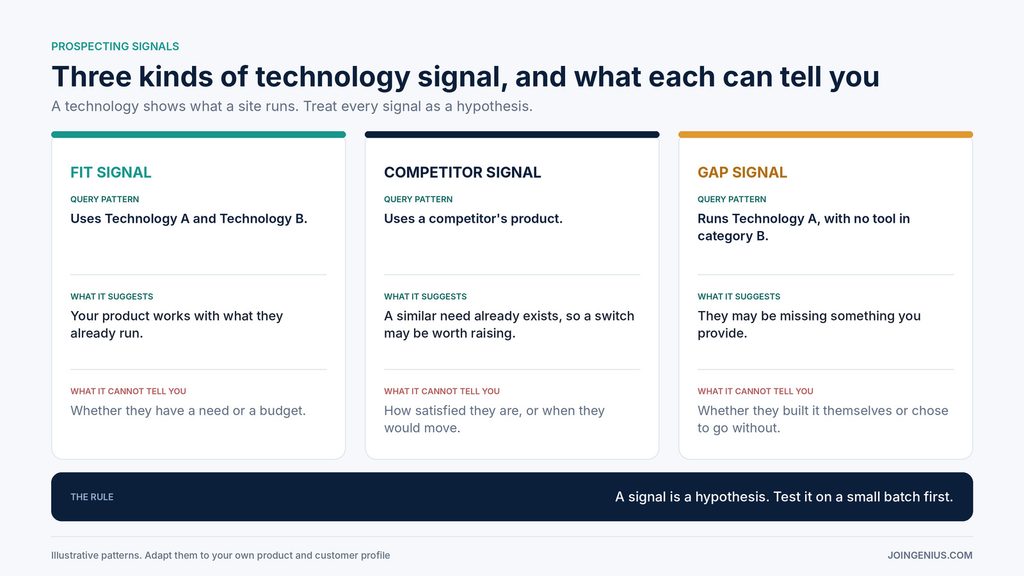
Be careful about what a signal means. A technology shows what a site runs. It does not show whether the company has a need, a budget or a plan to change anything. StackScan’s homepage says every technology choice a company makes is a buying signal, but that is the vendor’s view. The safer reading is that a signal is a hypothesis to test. Pair it with company size and industry, and let your results show which signals deserve more of your time.
Use Technology Signals to Find Companies That Already Fit Your Product
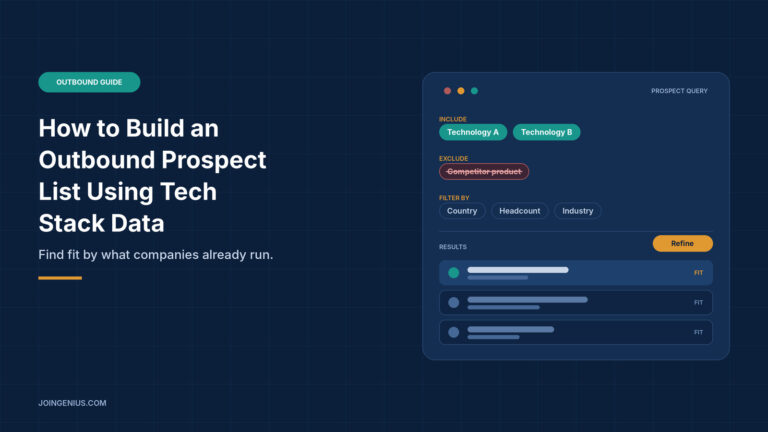
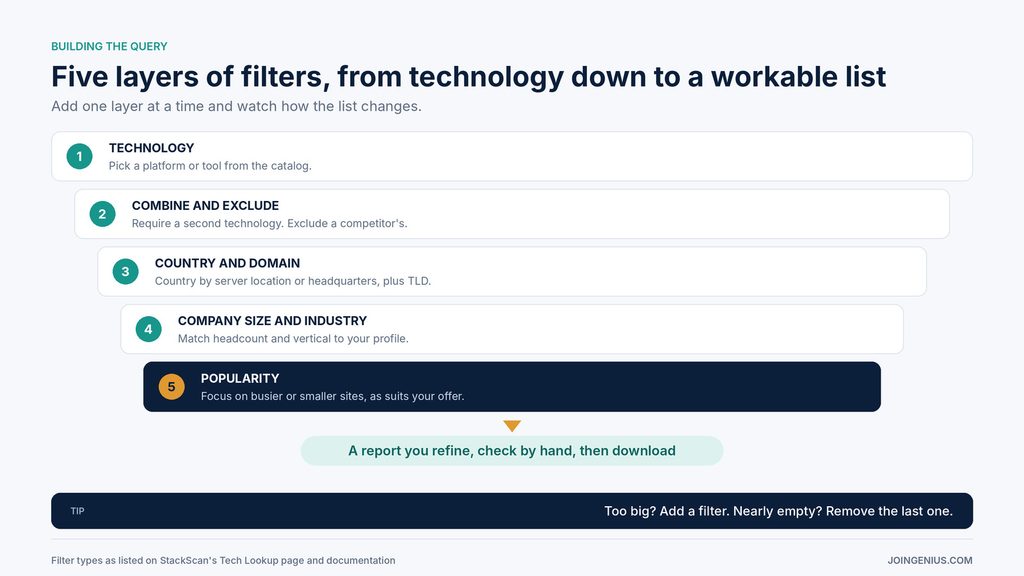
Instead of starting from job titles, start from what a company already runs. A tech stack lookup such as StackScan’s lets you pick from more than 55,000 tracked technologies, combine several in one query and exclude a competitor’s product. You can then narrow by country, top-level domain and popularity, and add company headcount and industry, before downloading a report. StackScan says each domain can include up to 20 data points, and that saved reports can be re-run against refreshed data.
Two details from its documentation are worth knowing before you start. A technology search first returns a summary of the global picture, so you refine the report with your filters before you export a domain-level list. Country can be filtered by server location or by business headquarters, which helps when the sites you want use generic domains such as .com.
Be realistic about the data, too. StackScan’s FAQ says accuracy varies by technology and is typically above 95% for the most common stacks. It also says some technologies go undetected, and that the data updates when the web is recrawled, so less-visited sites can take longer to refresh. Treat the output as a strong starting list, and check a sample by hand before anyone sends a message.
Build the Query One Layer at a Time
Here is an illustrative example. Say you sell an email retention add-on to online stores. Start with the platform your customers run. Add the email tool they already use, because your product connects to it. Exclude sites that already use your competitor. Limit the list to the countries where you can support customers. Then add headcount and industry to match your profile.
After each layer, look at how the list changes. StackScan’s FAQ notes that each filter narrows results, so stacking filters reduces the list. If it is still too large to work, add another filter. If it is nearly empty, remove the last one you added. The aim is not the biggest list. It is a list one rep can work properly, with enough time to personalize each message. Save the query once it works, so you can re-run it later against refreshed data and compare the results with your first list.
Verify the List Before Anyone Sends a Message
Technology data goes stale, and detection is never perfect. A few checks before you send will save you bounces, wrong-company replies and wasted effort.
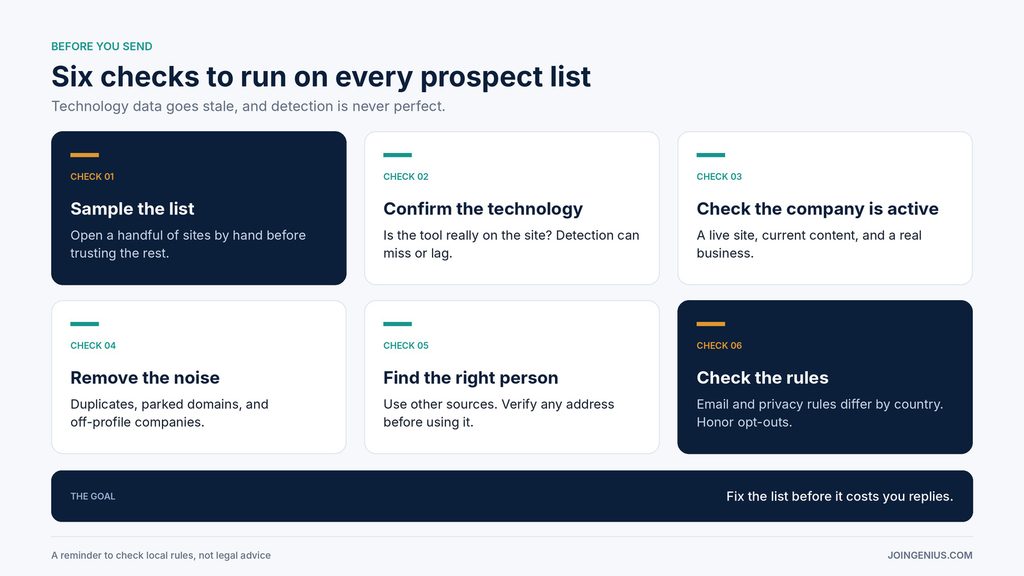
Open a sample of domains by hand and confirm the technology is really there. Check that the site is live and the company looks active. If many fail, tighten your filters or re-run the saved report on refreshed data. Remove duplicates, parked domains and companies that do not match your profile. Keep a short note of what you checked and what failed, so the next list starts from what you learned.
Then find the right person. StackScan’s pages do not say that they supply email addresses, so plan to identify decision-makers through other sources and verify any address before you use it. Finally, check the rules. Email and privacy requirements differ by country, so look at what applies to the countries on your list before you send, and honor opt-outs. This is a reminder to check, not legal advice.
Turn Signals Into Relevant Outreach
Lead with the business problem, not the scan. A message that opens with “I saw what software you use” can feel like surveillance. A message that opens with a problem teams on that platform tend to face feels like relevance.
Write one version of the message for each signal type. Someone using a competitor’s product needs a different opening from someone who is missing a tool altogether. For a fit signal, open with a problem teams on that platform run into when connecting the tools you work with. For a competitor signal, open with a gap that users of that product tend to raise, and only if you can back it up. For a gap signal, open with what the missing tool would let them do. Keep every claim specific and checkable, and keep the message short. Send a small test batch to each segment, compare reply rates and keep what works. When volume outgrows your team, bring in help. This guide to hiring lead generation specialists covers what to look for and what to ask.
Warning Signs Your Prospect List Is Weak, and What to Do About Each
Some patterns show up before a campaign disappoints. The table below pairs each warning sign with what it may mean and a practical next step.
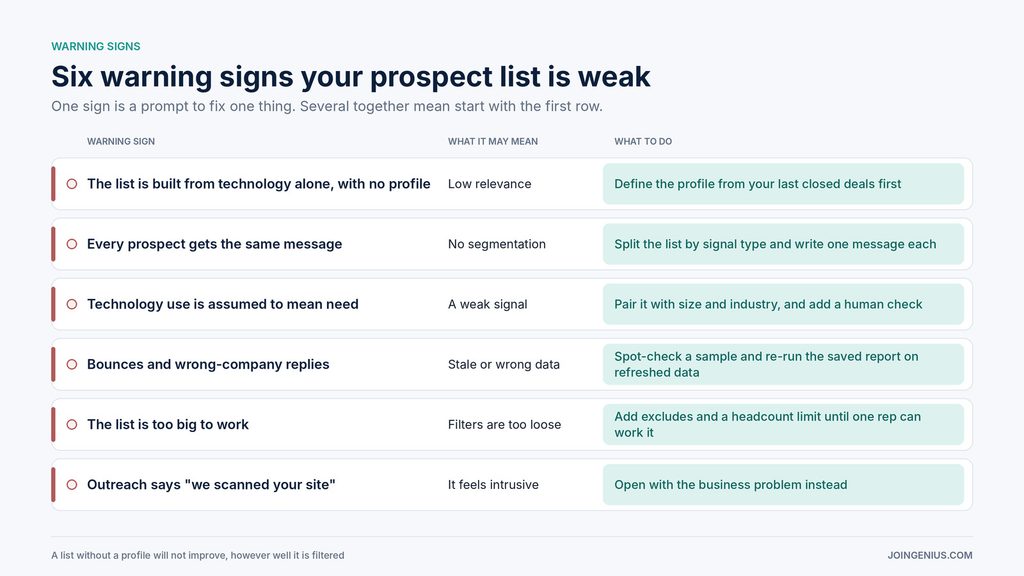
One sign is a prompt to fix one thing. If you see several, start with the first row, because a list without a profile will not improve no matter how well it is filtered.
Take the Next Step
Write one customer profile from your last ten closed deals. Pick one signal type and build one small list. Verify a sample by hand, send one test batch and compare the replies. Then adjust the filters and repeat.
Teams that treat technology data as a hypothesis, and not as a verdict, tend to learn faster than teams that treat it as a shortcut.