A candidate with eight years of relevant experience applies for a role. Her resume is a polished two-column design with icons beside each skill. The applicant tracking system reads it, fills her profile with blank skills and misplaced job titles, and the recruiter searching for the skill she has most of never sees her. This is an illustration, not a case study, but it describes how a layout choice can hide a strong candidate before a human reads a word.
This guide explains how resume formatting can cost you strong candidates and what a hiring team can do about it. It covers how an ATS reads a resume, what research says about screening out qualified people, why layout is not a measure of ability, where layouts tend to break, a test to run on your own system, a four-step plan, and a table of warning signs. It builds on our guide to making your careers page accessible so you don’t lose qualified candidates, which covers the application form itself.
How an ATS Reads a Resume
An applicant tracking system does not read a resume the way a person does. It parses the file, which means it pulls out job titles, employers, education, skills, and certifications and stores them as fields.
Career guidance from College Recruiter, republished by the University of South Florida, describes the next step: the system compares those fields with the requirements in the job posting. Systems range from simple keyword matching to natural language processing and machine learning.
Many systems then score or rank applicants, and recruiters see the highest-ranked first by default. That ordering matters, because a candidate whose fields were parsed badly can land low in the list or fail a search. The same guidance notes that knockout questions about work authorization, a minimum degree, or shift availability can disqualify an applicant automatically.
None of this requires a bad actor or a broken product. It only requires a mismatch between how a resume was designed and how a parser reads it. When the parse is wrong, everything that depends on the parse is wrong too.
What the Research Says About Screening Out Qualified People
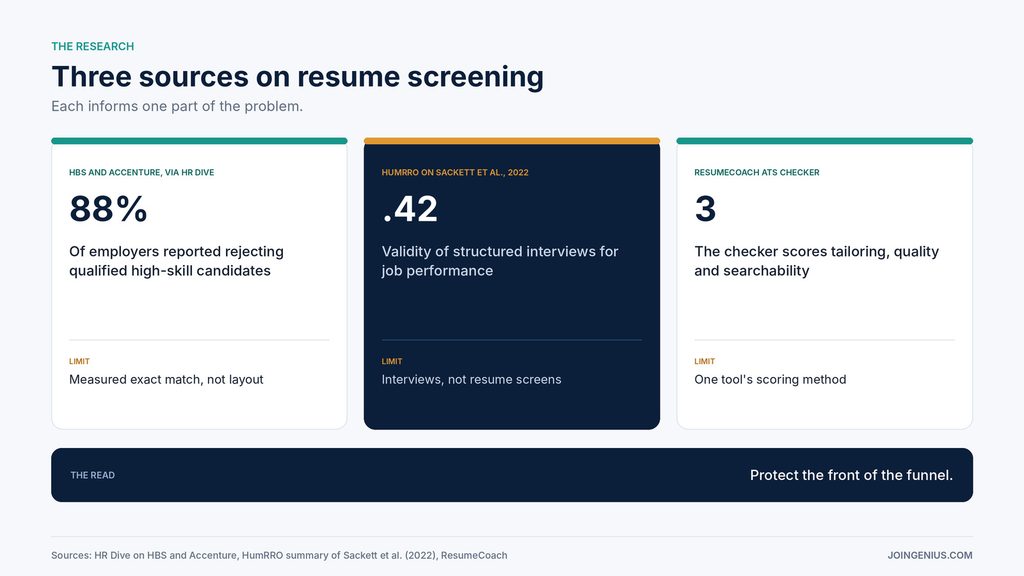
The Harvard Business School and Accenture report on hidden workers surveyed employers about how their hiring systems treat candidates. According to an HR Dive summary, 88% of employers said qualified, high-skilled candidates were rejected outright because they did not exactly match the hiring criteria, and 94% said the same about middle-skilled candidates.
The examples were candidates without a particular degree and candidates with a gap in their employment history. The report recommends shifting filters from negative, which exclude, to affirmative, which search for candidates with core skills and experience.
The survey measured exact-match criteria, not resume layout. Even so, it shows the shape of the problem. When a system treats a missing or misread field as a reason to filter, a parsing error and a rigid filter do the same damage. A strong candidate whose skills never reached the skills field looks, to the filter, like a candidate with no skills.
What Predicts Performance Is Not Layout
Layout says little about how someone will perform. Paul Sackett, Charlene Zhang, Christopher Berry, and Filip Lievens revisited the validity of hiring methods in a 2022 Journal of Applied Psychology paper. A HumRRO summary reports validity of .42 for structured interviews, .40 for job knowledge tests, and .33 for work sample tests.
The authors report that earlier estimates were inflated by range restriction corrections, and that validity varies across settings. The figures describe general job performance across many roles.
These methods are interviews and tests, not resume screens, so the numbers do not rate any resume format. The lesson is about order. The methods with the best track record come after the screen, and a parsing failure removes a candidate before they get that far. Protecting the front of the funnel protects the part of your process that works best.
Where Layouts Break
Career guidance names three things that confuse parsers: graphics, tables, and non-standard formatting. A resume built in a design tool often has all three, which makes it the first kind of file to test. Skills drawn as icons or rating bars, work history placed in a table, and creative section headings are the places to look for blank or misplaced fields.
Other layout features are worth testing, because behavior differs by system: two or more columns, text boxes, headers and footers, and contact details placed in a banner. The point is not that every system fails on each of them. It is that you cannot know without trying, and the cost of a wrong guess falls on the candidate you most wanted to see.
Run Test Resumes Through a Checker Before You Trust Your Filters
You can test your own process in an afternoon. Gather five resumes with different designs, such as a plain one-column document, a two-column template, one with icons, one with a table, and one exported from a design tool. Upload each to your ATS, then compare the parsed profile with the original. Note every blank field, misplaced title, and merged line.
A simple scorecard helps: one row per file, one column each for name, contact details, job titles, dates, skills and education, with a pass or fail in each cell. Five files and six columns give you thirty data points, enough to see which layouts your system handles and which it does not.
Then run the same files through a checker. ResumeCoach’s ATS resume checker scores a resume on tailoring, quality, and searchability, and highlights issues that could stop an ATS from reading it correctly. Searchability covers whether ATS software can identify and process the resume’s structure and content, and you review each recommendation before applying it.
Comparing the checker’s findings with what your own system did tells you which layouts are safe, which need a fix, and which your system cannot read at all.
Use what you learn in two ways. Fix your filters and screening steps first, because that is the part you control. Then tell applicants which formats your system reads best, on the careers page or in the application confirmation. Our guide to screening interviews covers the step that follows the resume screen.
A Four-Step Plan to Stop Losing Strong Candidates
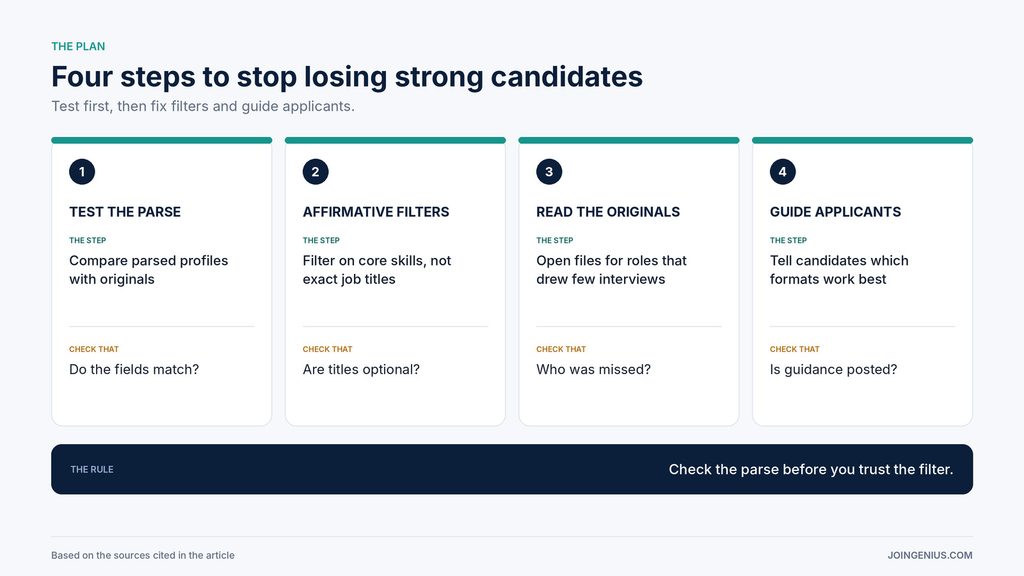
Use this four-step plan for each role you hire for.
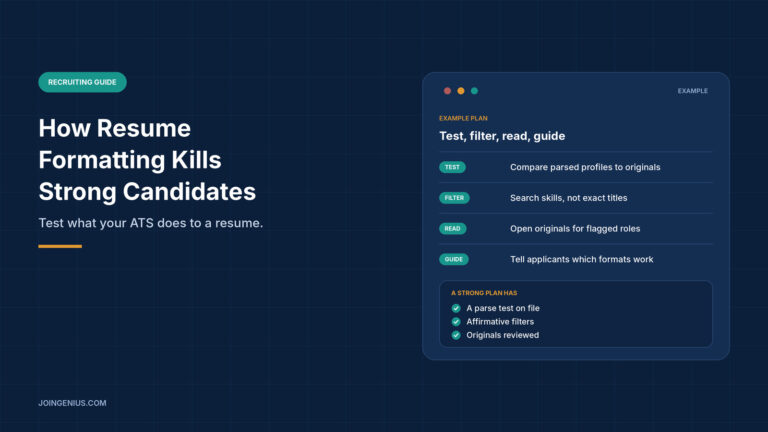
- Test the parse. Upload sample resumes in different layouts, and compare each parsed profile with the original.
- Switch to affirmative filters. Search for the core skills and experience a role needs, and drop filters that exclude on exact titles or gaps.
- Read originals for flagged roles. For roles where strong sourcing produced few interviews, open the original files of rejected applicants.
- Guide applicants. Tell candidates which formats your system reads best, and keep the guidance on the careers page.
Step two is easier to picture with an example. Instead of requiring the exact title a previous employer used, filter for the skills, tools, or certifications the work needs, and let titles vary. The role is the same, and far fewer capable people fall outside the search.
The third step is the one teams skip, and it is the one that finds the people your filters missed. A recruiter who opens twenty originals will learn more about the system’s blind spots than any report will show. Our guide to building a hiring pipeline shows where this review fits among the pipeline stages.
Measure Whether It Works
Track how many of your test resumes parse with missing fields, how many applicants you recover by reading originals, and how the interview rate for each role changes after you fix the filters. Run the five-resume test again each time you change your ATS settings or add a new template to the careers page. With a small applicant pool, the numbers move slowly, so use them to decide where to look next and not as a score.
Warning Signs Your Resume Screening Is Losing Strong Candidates, and What to Do About Each
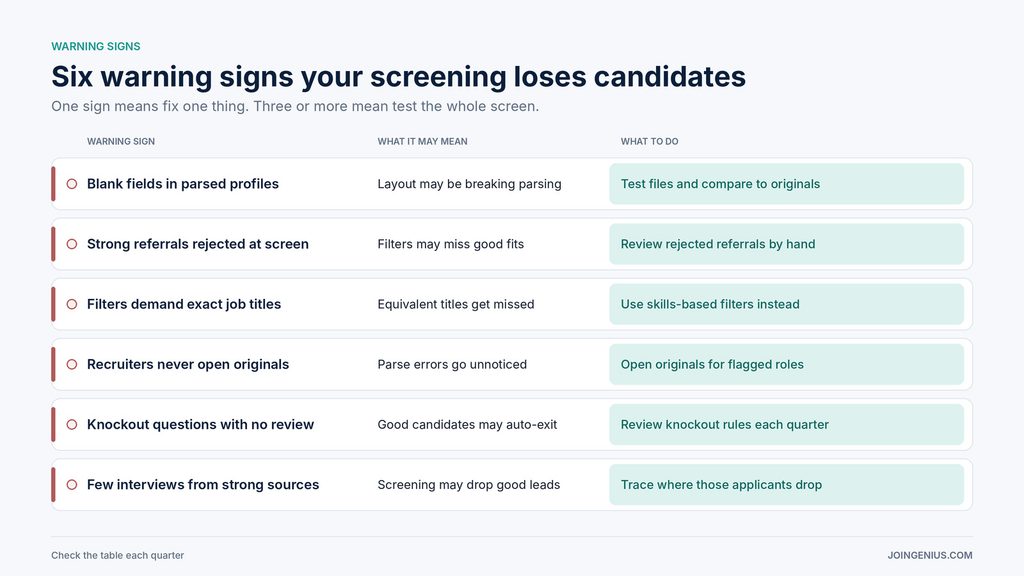
Check this table each quarter. One sign means fix one thing. Three or more mean pause and test the whole screen.
| Warning sign | What it may mean | What to do |
|---|---|---|
| Blank fields in parsed profiles | Layout may be breaking parsing | Test files and compare to originals |
| Strong referrals rejected at screen | Filters may miss good fits | Review rejected referrals by hand |
| Filters demand exact job titles | Equivalent titles get missed | Use skills-based filters instead |
| Recruiters never open originals | Parse errors go unnoticed | Open originals for flagged roles |
| Knockout questions with no review | Good candidates may auto-exit | Review knockout rules each quarter |
| Few interviews from strong sources | Screening may drop good leads | Trace where those applicants drop |
Read the Resume, Not Just the Parse
A resume is a document written for a person, and an ATS turns it into fields that a filter then judges. When the conversion fails, the candidate pays for it. Test how your system reads different layouts, search for the skills a role needs instead of exact titles, open originals where strong sources produce few interviews, and tell applicants what works.
If a candidate’s profile matches their resume, you can judge them on what they have done and not on how their file was built. For a wider look at where candidates drop out, see our guide to auditing your recruiting pipeline.