It usually starts on a Tuesday morning. A plugin updated overnight, and now the checkout page spins forever. Or the shipping rates have disappeared, and customers are emailing to ask why they cannot pay. Nobody changed anything on purpose, but something in the store broke.
That is a plugin conflict. Two pieces of code that each work fine on their own are now fighting over the same page or hook. The fix is rarely hard once you know which plugin is causing it. The hard part is finding it without taking the live store down while you look.
This post covers why WooCommerce stores are so prone to conflicts and the five-step process to find the one causing trouble. It also covers the checkout layer where most conflicts do their damage, and the monthly audit that keeps them rare.
Why Plugin Conflicts Hit WooCommerce Stores So Hard
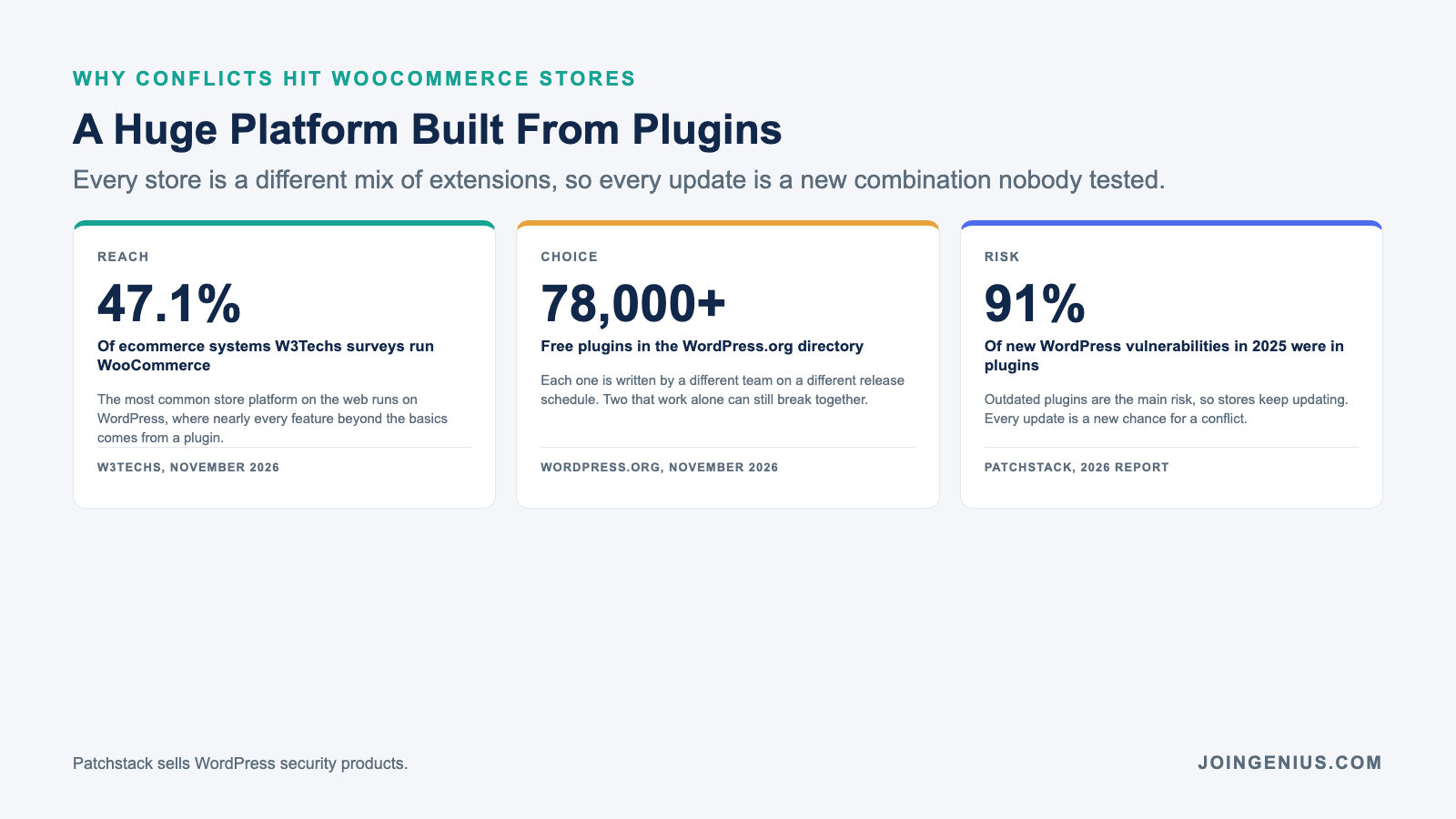
WooCommerce is everywhere. W3Techs data as of November 2026 shows WooCommerce is used by 47.1 percent of the ecommerce systems in its surveys. It runs on WordPress, where almost every feature beyond the basics comes from a plugin.
The plugin pool is enormous. The WordPress.org plugin directory lists more than 78,000 free plugins, each written by a different team on a different release schedule. A store with 40 active plugins is running a combination of code that almost certainly nobody else has tested.
Stores also cannot stop updating. Patchstack’s State of WordPress Security in 2026 report found 11,334 new vulnerabilities in the WordPress ecosystem in 2025. Of those, 91 percent were in plugins. Patchstack sells WordPress security products, so read the figures with that in mind. The point holds, though. Skipping updates is a security risk, and every update is a new chance for a conflict.
The Five-Step Conflict Troubleshooting Process
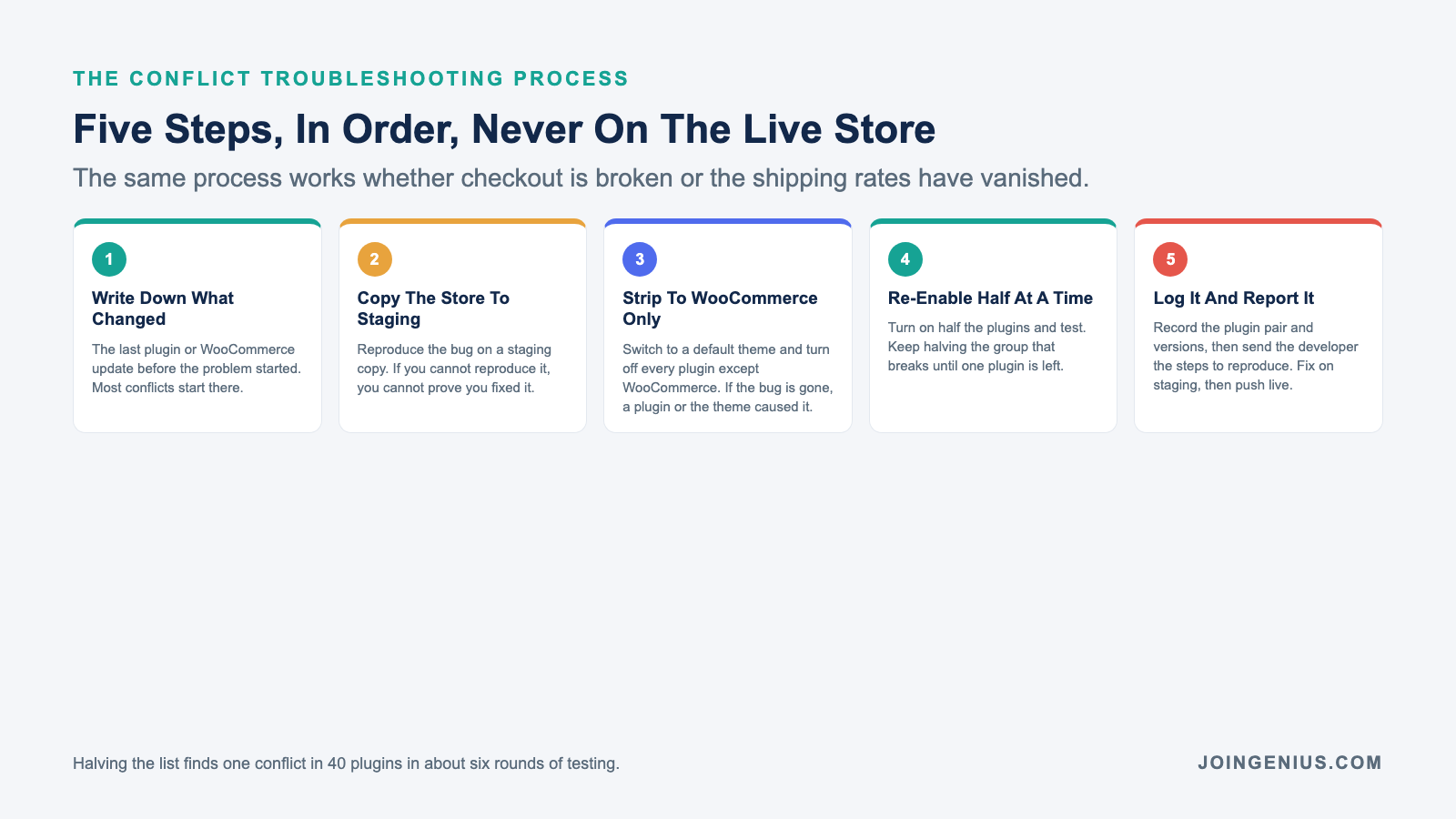
Step one is to write down what changed. Check the last plugin update or WooCommerce release before the problem started, and note any theme update too. Most conflicts begin within a day of an update, so this narrows the search before you touch anything.
Step two is to copy the store to staging. Most hosts offer one-click staging. Reproduce the bug on the copy, never on the live store. If you cannot reproduce it on staging, you cannot prove you fixed it.
Step three is to strip the staging site down to WooCommerce only. Switch to a default theme such as Storefront and turn off every plugin except WooCommerce. If the bug disappears, a plugin or the theme caused it. WooCommerce’s own conflict testing guide walks through this step and lists tools that make it faster.
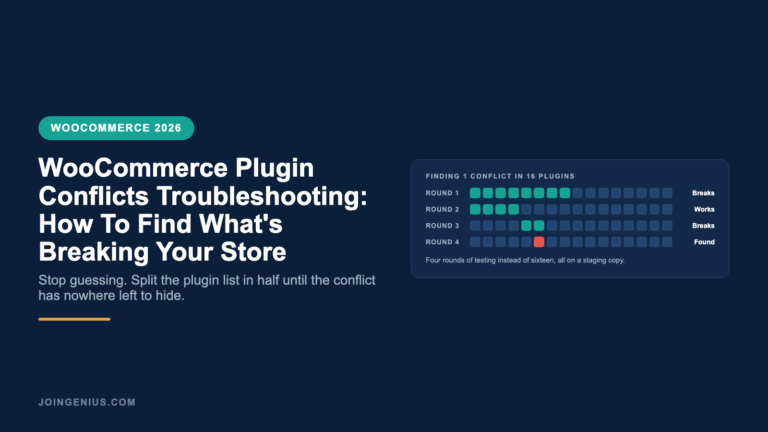
Step four is to re-enable plugins half at a time. The official guide reactivates plugins one by one, which works but gets slow on a big store. Turning on half the list and testing is faster. If the bug comes back, the culprit is in that half. Keep halving the group that breaks. A store with 40 plugins gets down to one in about six rounds instead of 40.
Step five is to log the conflict and report it. Record the two plugins and their versions, then send both developers the exact steps to reproduce. Apply the fix on staging first and push it live only after checkout works end to end.
The Checkout And Shipping Layer Where Most Conflicts Break Orders
Conflicts can happen anywhere, but the expensive ones happen at checkout. That is where the most plugins hook into the same page at the same moment. Payment gateways and coupon tools run there. So do tax and shipping plugins.
Shipping is a common trouble spot because stores tend to stack it. One plugin pulls live rates from a carrier. Another prints labels, and a third adds tracking. Each one hooks into the cart and checkout separately, and each one updates on its own schedule.
Cutting that stack down is the simplest way to cut conflicts at checkout. A multi-carrier shipping plugin from PluginHive handles live rates and label printing for several carriers in one place. That leaves fewer separate plugins competing for the same checkout hooks.
The rule applies beyond shipping. When two plugins do overlapping jobs at checkout, keep the one that covers both and remove the other. Every plugin that is not hooking into checkout is one less thing to test after an update.
Before And After A Plugin Audit
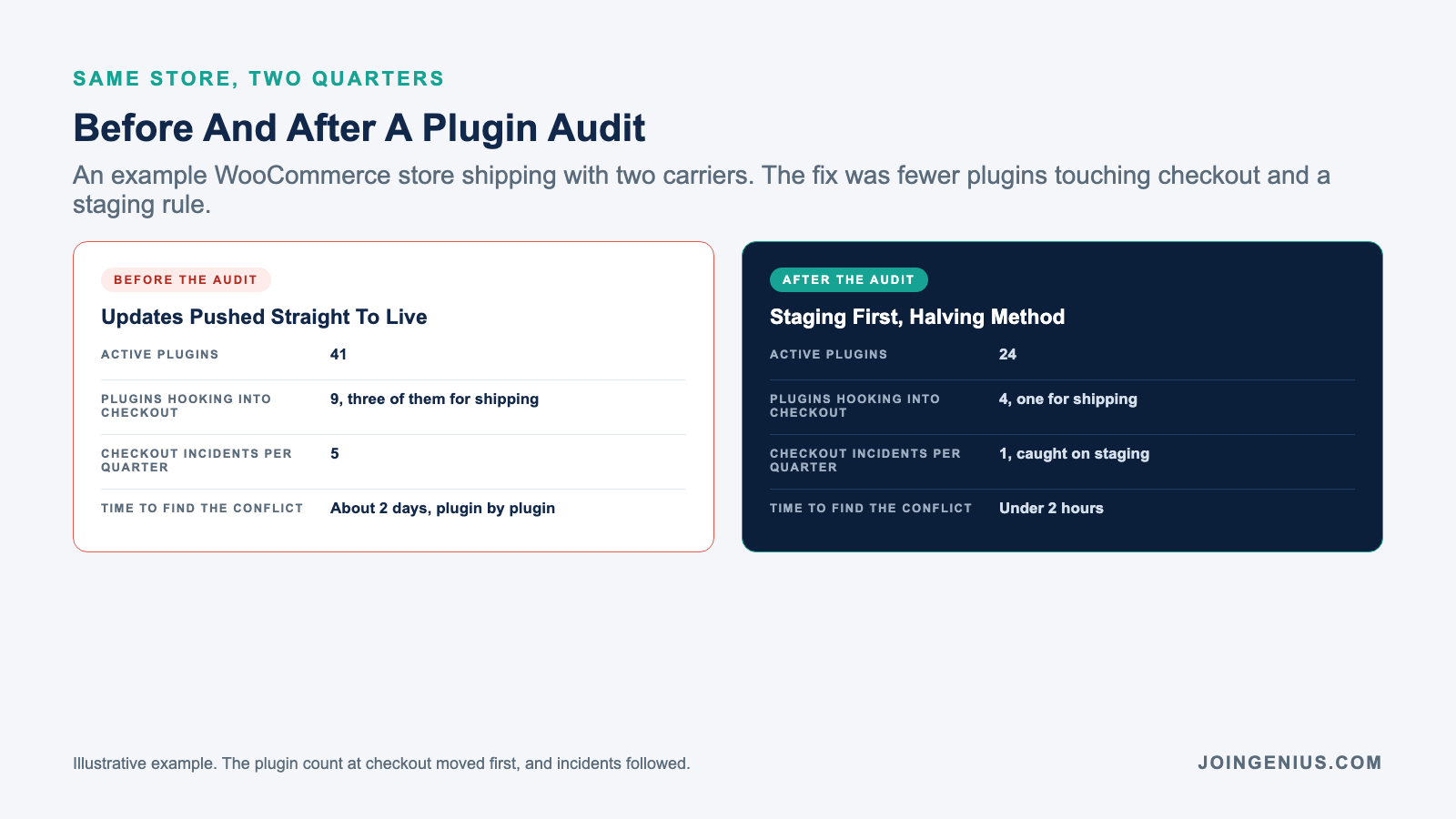
Here is an illustrative example. A WooCommerce store ships with two carriers. Before its audit it runs 41 active plugins, and nine of them hook into checkout. Three of those nine are for shipping. Updates go straight to the live store. The store has five checkout incidents a quarter, and finding each conflict takes about two days of testing plugin by plugin.
After the audit the store runs 24 plugins. Only four hook into checkout, and one of them handles shipping. Every update is tested on staging first, using the halving method. The next quarter brings one checkout incident, caught on staging before a customer saw it, and the conflict is found in under two hours.
The number that moved first was the count of plugins touching checkout. Incidents fell once fewer plugins were competing for the same page.
The Monthly Plugin Audit That Keeps Conflicts Rare
Once a month, list every active plugin and ask one question about each. Does the store still need it? Remove anything that was installed for a test or a past promotion. Look harder at any plugin that has not been updated in a year.
Next, mark which plugins hook into checkout and look for overlap. Two plugins doing one job at checkout is the most common setup for a future conflict. Then set the update rule in writing. Updates go to staging first, and the person who pushes them live tests a full order before they do.
Keep the conflict log from step five next to the audit. Over a few months it shows which plugin pairs cause trouble, which is worth knowing before the next update. If you are hiring someone to look after the store, build this audit into your interview rubric for the role.
Hire Developers Who Debug Before They Update
The stores that rarely break are not the ones with the fewest plugins. They are the ones with someone who tests on staging and keeps a conflict log. That person reads the changelog before clicking update.
Developers who can do that are in demand. The US Bureau of Labor Statistics counts 220,100 web developer and digital designer jobs in 2025, with 5 percent growth projected through 2035. The median wage for web developers was $92,650 in May 2025.
Genius hires top one percent WordPress and WooCommerce developers from the Philippines and LATAM at roughly 80 percent less than local comp. There are no monthly fees, and every placement comes with a six month replacement guarantee.
We screen candidates on the troubleshooting process described on this page before they reach you. That means you meet developers who will ask for a staging site in week one, rather than people who update the live store and hope.