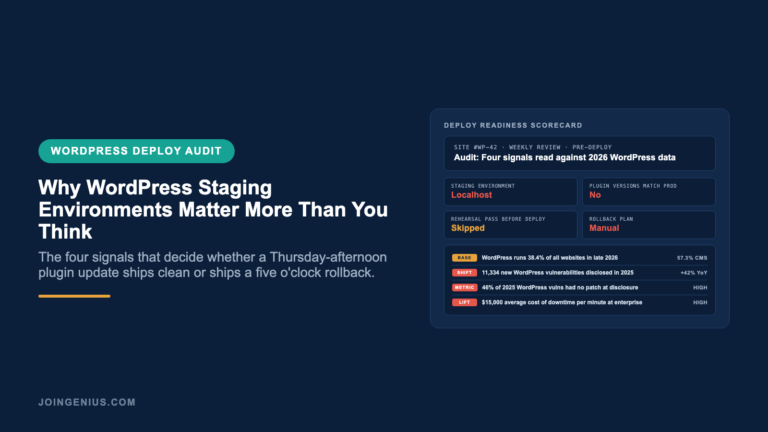
A WordPress editor who pushes a plugin update to a live site on a Thursday afternoon is running a bet. The bet is that the plugin change does not conflict with the theme or the cache. It does not break the billing plugin. And it does not shift the Elementor layout on the pricing page. The odds on that bet have moved the wrong way in 2026. More plugins. More vulnerabilities disclosed before a fix ships. And a cost-of-downtime bar that gets higher every quarter. This guide walks a wordpress developer through why a staging environment is the one piece of the workflow that pays off in a single quarter.

Why “I’ll Just Push It To Live” Is A Bigger Bet Than It Was A Year Ago
WordPress still runs most of the internet’s frontend in 2026. The scale of the install base is what makes “I’ll just push it” such a widespread bet, not a developer edge case.
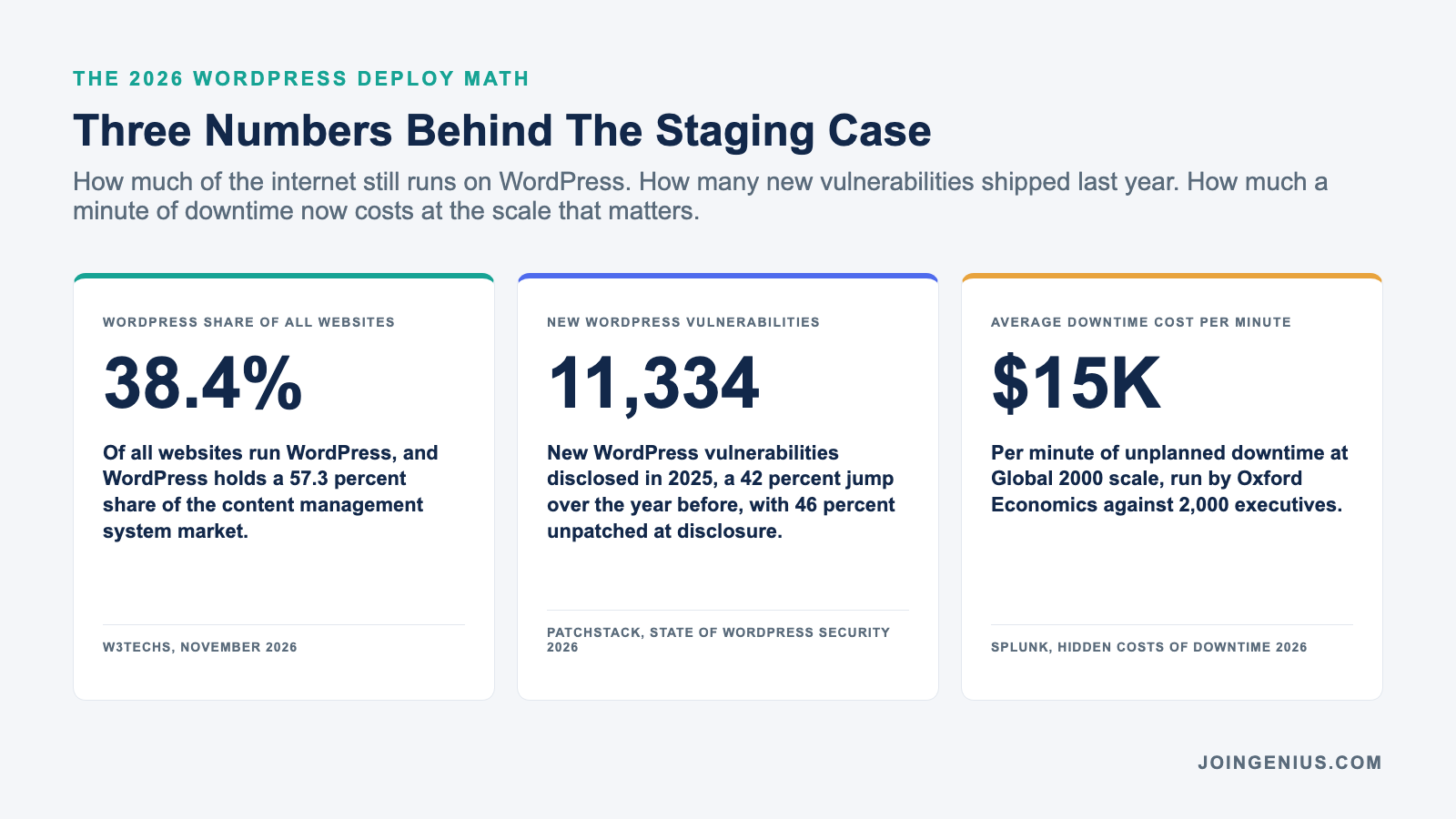
W3Techs’ latest measurement, dated November 2026, shows WordPress running 38.4 percent of all websites on the open web and holding a 57.3 percent share of the content management system market.
That means the plugin update the editor is about to run is going to run on a site that has company. Across more than a third of the internet. The “it works on my machine” defense ages badly at that scale.
The practical implication is that staging stopped being an agency luxury in 2026. It is the one piece of the WordPress workflow that pays for itself inside a single quarter, because the deploy it saves pays for the year of hosting.
What Actually Breaks When You Skip Staging
The thing most editors learn the hard way is that WordPress is not one thing. It is the server plus the application plus the database plus a stack of plugins the editor did not write. A plugin update is a code change pushed into four other systems at once.
Patchstack’s State of WordPress Security in 2026 report counted 11,334 new WordPress vulnerabilities disclosed in 2025, a 42 percent jump over the year before. Nearly half of those, 46 percent, had no developer patch available at the moment of public disclosure.
The practical read is that the plugin update you push to production is as likely to open a security hole as to close one. A staging environment is where you find that out before the attacker does.
The rehearsal also catches the fatal error. A fatal error on a live WordPress site is a “this site is experiencing technical difficulties” message for every visitor the editor was supposed to be serving. The rehearsal catches it on a page nobody is visiting yet.
The Hidden Cost Of A Botched Deploy
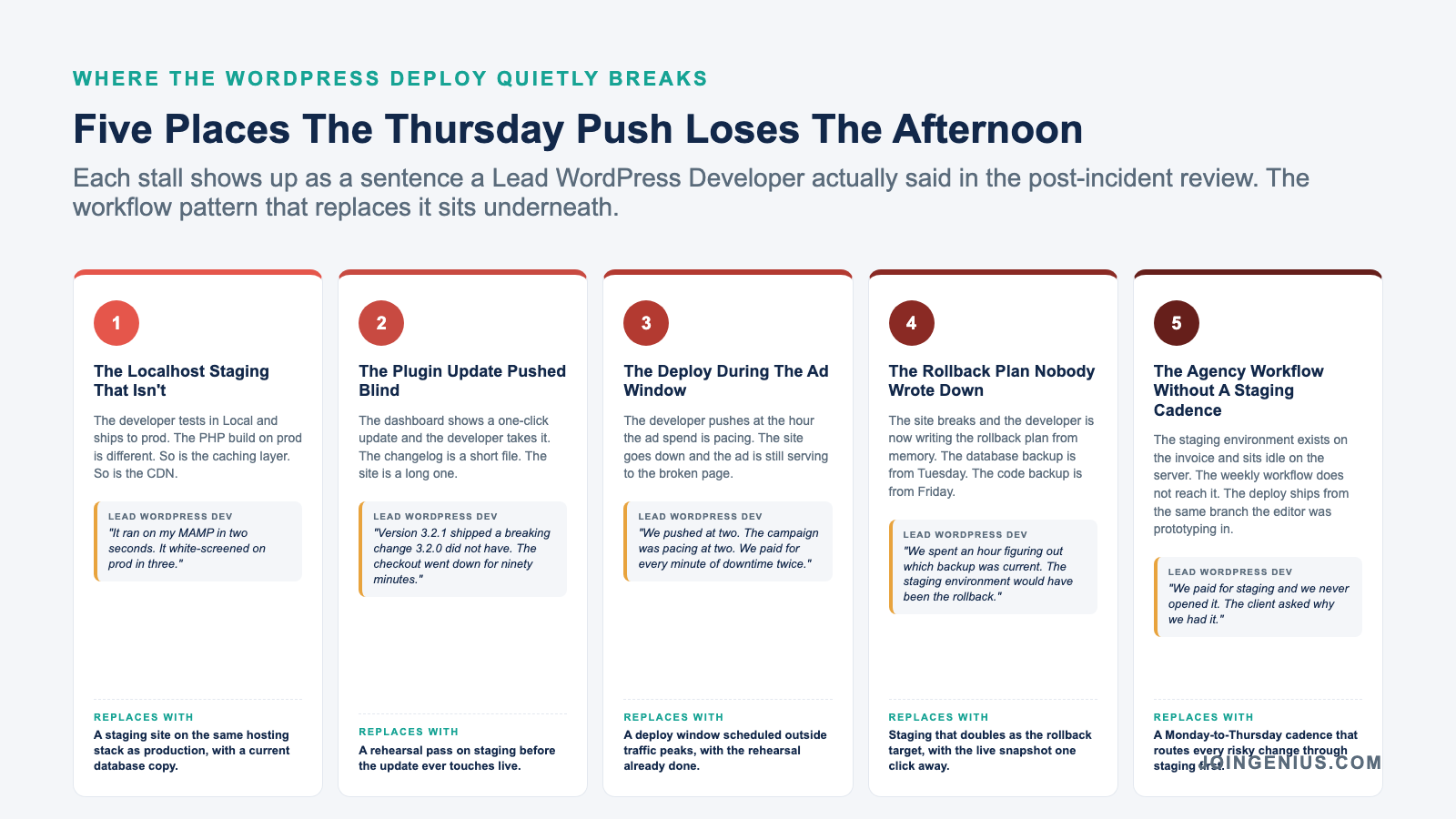
The downtime an editor is trying to avoid is not “the site is down for the afternoon.” It is “the site is down during the hour the ad spend was pacing.” The cost per minute is not a developer’s time.
In Splunk’s May 2026 Hidden Costs of Downtime report, run by Oxford Economics against 2,000 Global 2000 executives, the average cost of downtime was 15,000 US dollars per minute at the enterprise scale. A WordPress site below that scale carries a smaller number per minute, not a zero.
The cost is also not just lost sessions. A broken deploy during a traffic window is the one place the organic ranking can slip in a week it took six months to climb. A seo specialist tracking that climb is the one who sees the bill first.
The cost side of a bad deploy also includes the time the agency spends explaining it. An hour of client call for every minute of downtime is an hour the team is not shipping the next thing. The rehearsal that would have caught it costs ten minutes.
Why “Staging” On Localhost Isn’t The Same As Staging On Prod
The editor who thinks they already have staging because they run the site in Local or MAMP is testing against a reality that is not the live site. The PHP version is different. The web server is different. The caching layer does not exist. The CDN is not involved. The database content is a stale snapshot.
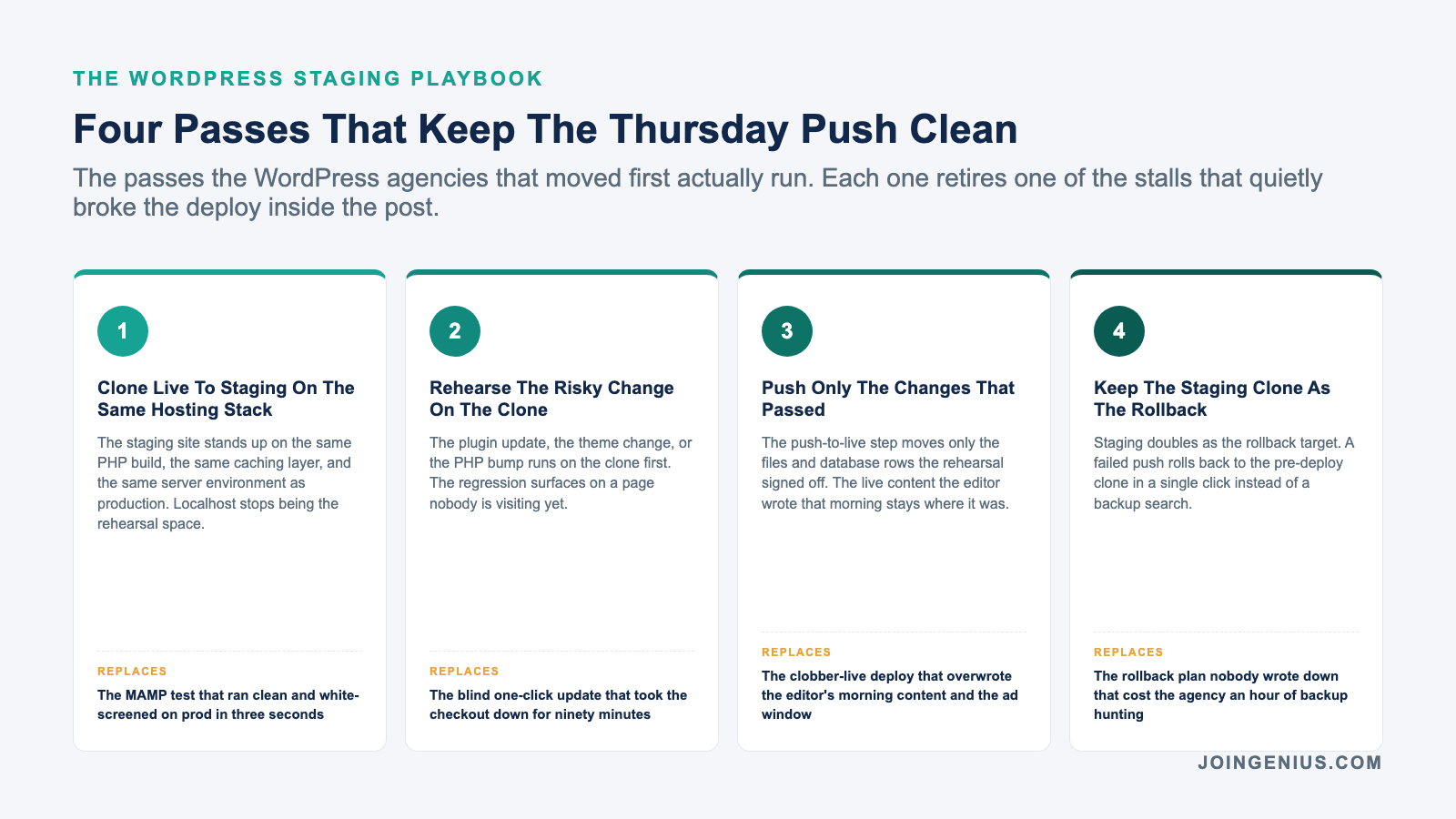
A real staging environment lives on the same hosting stack as production. The database is a current copy. The PHP build and the caching layer match. A devops engineer will have language for the difference.
The hours editors waste on “it ran on localhost” are the hours that get billed to the client as cleanup after the deploy. The difference is the environment.
The Plugin And Theme Upgrade Workflow Staging Is Actually For
The workflow staging is actually for is not “preview the page before publishing.” It is “rehearse the risky change on a clone of the live site before letting it touch production.” The risky change is almost always a plugin update. Sometimes a theme change. Sometimes a PHP version bump. Sometimes a core WordPress upgrade.
The rehearsal is where the regressions get caught. A plugin that worked at version 3.1 with the current WooCommerce build does not work at version 3.2. The staging site is where that finding lives, not the live checkout.
The editor who runs the rehearsal is the one who ships a Thursday-afternoon update at four without the five o’clock rollback.
The reason the rehearsal matters is that the version numbers do not tell you what you need to know. A plugin at version 3.2.1 can have shipped a breaking change that version 3.2.0 did not have. The changelog is a short file. The site is a long one.
Shrinking The Time Between “Spin Up A Clone” And “Push Live”
The reason editors skip staging is not that they do not believe in it. It is that spinning up a cloned environment used to cost an hour of hosting setup before the rehearsal could begin. An hour on each risky change is a workflow nobody runs on a Thursday afternoon.
The 2026 shift is that the clone can now be stood up in under a minute from a live backup, on a server that matches production, with a push-back-to-live button that moves only the changes that passed.
Where InstaWP Fits
Setups like InstaWP spin up a cloned staging environment from a live WordPress site in about ten seconds. The risky change gets rehearsed in isolation. Only the changes that passed get pushed back to production with one click.
The staffing effect is not that the product replaces the developer. It is that the developer’s Thursday no longer starts with “first, set up staging.” The rehearsal is the work. The push is a button.
How To Rehearse A Risky Change Without A Second Production
The rehearsal has three checkpoints that matter. The first is a current clone of the database, because a stale copy will not catch a WooCommerce order flow regression. The second is the plugin version and the theme version matching production exactly.
The third checkpoint is that the test runs on a browser the live visitor actually uses. A staging site tested only in Chrome DevTools misses the Safari issue that will show up on half the traffic on Friday.
A system administrator owning the server side of the staging workflow keeps the rehearsal honest. The editor does not have to guess at whether the PHP build matches. The staging site inherits it.
The rehearsal pass is where the editor finds the plugin conflict that would have surfaced on live at eleven at night. The time it takes is the time the rehearsal paid back.
How To Build Staging Into The Weekly Agency Workflow
A staging environment sitting idle because nobody opens it is a budget line that does not earn. The weekly workflow the agency runs on a client’s WordPress site is where staging has to live, not the calendar invite for “next quarter.”
Monday runs the clone and the backup. Tuesday runs the risky updates on staging. Wednesday runs the rehearsal pass with the client. Thursday pushes only the changes that passed. Friday is a buffer for the rollback that did not have to happen.
A web developer running the agency’s staging workflow against a shared template across clients is the one who makes the cadence stick. The template saves the hour that the manual setup used to cost.
The agency that runs this cadence stops being the one that bills for Thursday-night rollbacks. The client that sees the cadence stops being the one that shops for a new agency the week after a bad deploy.
Conclusion
The reason WordPress staging environments matter more than most editors think in 2026 is not that staging is a new idea. It is that the cost of skipping it has moved.
The vulnerabilities get disclosed before a patch ships. The downtime cost per minute lands on the ad window. The agency loses the client after the one deploy that should not have gone to live.
The editor who treats the clone and the rehearsal as the Thursday-afternoon workflow instead of the Monday-morning stretch goal gets the deploy back. Genius has written the hiring side of that workflow with the WordPress agencies that moved first.