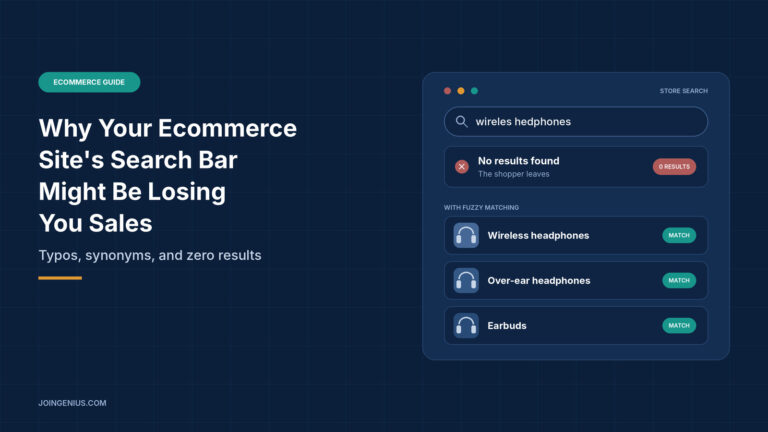
A shopper lands on your store and types “wireles headphones” into the search bar. The page comes back with zero results. You sell exactly what they wanted, in three colors, but they never see it. They close the tab and look somewhere else.
This happens far more often than most store owners realize, because nobody sees it. A lost sale from a bad search leaves no complaint and no abandoned cart. The visitor simply disappears. The good news is that most search problems are easy to find and many are cheap to fix. If you are already working on turning more visitors into buyers, this guide to conversion optimization covers the wider picture. Your search bar belongs on the same list.
This guide covers why search users matter, the most common ways a search bar loses sales, how to read your own search data, quick fixes, what a better search engine can do, and how to test your changes.
Why Search Users Deserve Your Attention
A shopper who types a query is telling you exactly what they want. They are not browsing at random. They have a product, a brand or a problem in mind, and they expect the store to understand them.
That makes search one of the highest-intent actions on your site. When it works, it saves the shopper time and moves them quickly toward a purchase. When it fails, it feels like a closed door. Many people will not try a second phrasing. They assume you do not carry the item.
It also helps to see search as a source of information. Every query is a customer describing what they want in their own words. Stores that read those words learn which products people look for, which names they use and which items they cannot find.
6 Ways a Search Bar Loses Sales
Search failures tend to fall into a handful of patterns. Most stores have more than one.

Typos come first. Shoppers type quickly on phones and make mistakes. A search that needs exact spelling returns nothing for “hedphones” even though you stock headphones.
Missing synonyms are next. You call it a “sofa,” your customer types “couch.” You list “sneakers,” they search for “trainers.” If your search does not connect those words, it treats them as different products.
Word forms cause quieter problems. A search for “running shoe” may miss products titled “running shoes.” Plurals, verb endings and similar variations are easy for a person to ignore but hard for a basic search to match.
No suggestions as the shopper types is another gap. Autocomplete shows people what you carry and nudges them toward queries that work. Without it, they guess.
Dead-end zero-result pages come next. A blank page with the words “no results found” gives the shopper nothing to do. They leave.
Finally, slow or poorly sorted results hurt. If the best match is buried, or the page takes too long to appear, many shoppers will give up before they see it.
Read Your Search Data Before You Change Anything
You do not need to guess where your search fails. Most ecommerce platforms and analytics tools can report on what shoppers type, and that report is the best starting point.

Look at five things. First, your top queries, which show what people want most. Second, your zero-result queries, which show what they could not find. Third, searches that end with the visitor leaving the site. Fourth, queries followed quickly by another search, which usually means the first results were wrong. Fifth, which result position shoppers click, since a click on the fifth result suggests the first four were not right.
Zero-result queries deserve the most attention. Sort them by how often they appear. You will usually find a mix of typos, synonyms, products you do not carry and products you do carry under a different name. Each group has a different fix.
If your platform does not report on search, ask a developer or your platform’s support team how to turn it on. Even a simple log of queries is useful.
Quick Fixes You Can Make This Week
Some improvements do not need new software.
Start with a synonym list built from real queries. If shoppers keep searching “couch,” make sure those searches reach your sofas. Many platforms let you add synonyms in a settings page.
Next, look at your product titles and descriptions. If customers use a word that never appears in your listings, add it where it fits naturally. A title written for your warehouse is not always a title written for your shoppers.
Then improve the zero-result page. Instead of a blank message, offer a spelling suggestion, a few popular products, links to your main categories and a way to contact you. Even when a search fails, the page can keep the shopper moving.
A Typo Shouldn’t Mean a Customer Gets Zero Results
Quick fixes only go so far. If your store has a large catalog, or your platform’s built-in search is limited, the underlying engine may be the real problem. Basic search often compares the exact characters a shopper typed with the exact characters in your listings. One missing letter breaks the match.
A full-text search engine such as Manticore Search offers fuzzy search to improve relevance, plus stemming, synonyms and autocomplete, which are the tools that help a shopper with a misspelled query still find the right product.
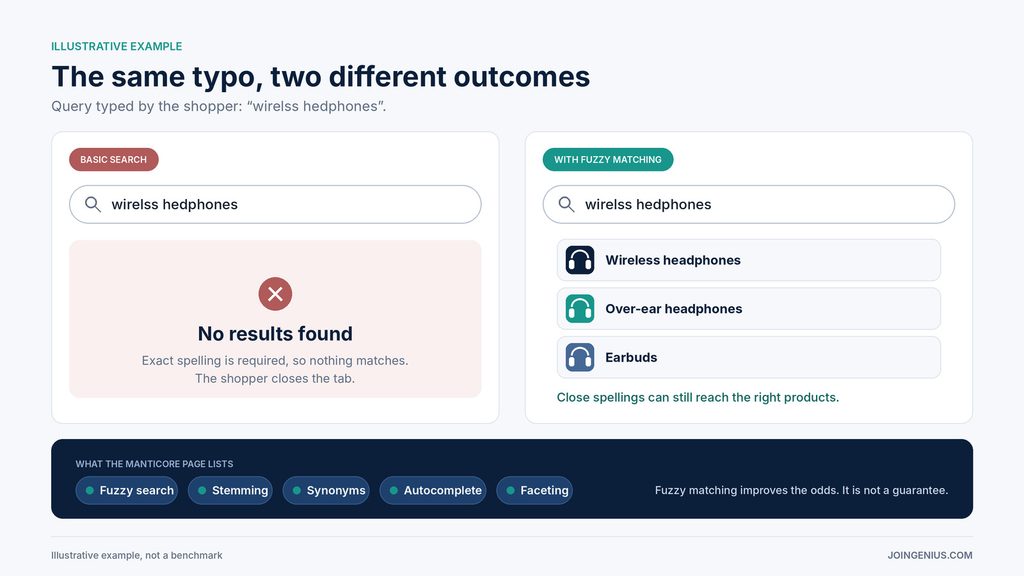
Here is how the pieces work together. Fuzzy search allows a query to match words that are close to what was typed, not only identical. Stemming and lemmatization reduce words to their base forms, so “shoes” and “shoe” can be treated alike. Synonyms let you connect words such as “couch” and “sofa.” Autocomplete suggests queries as the shopper types. Manticore’s page also lists faceting and highlighting, which help with narrowing results and showing why a result matched, and it describes support for multiple languages.
Be realistic about what this involves. The page describes Manticore as an open source search database, queried through SQL or JSON, with a Docker image for installation. It does not mention a hosted service, and it notes that advanced features may require in-depth knowledge. In practice, that means this kind of tool suits stores that have developer help. If you do not have that help yet, this guide to hiring an ecommerce developer compares platforms and shows what to ask.
Also keep expectations in check. Fuzzy matching improves the odds that a misspelled query finds the right product, but it does not guarantee a perfect result for every query. You still need to review your search data, tune your synonyms and test the outcome.
Filters, Facets and Sorting
Finding the right product is only half of the job. Once a search returns many results, shoppers want to narrow them. Filters for size, color, price and brand let them do that without starting over.
Make sure the filters match how people shop for your products. A shoe store needs size and width. A furniture store needs dimensions and material. Keep the choices short, hide options that would return nothing, and show how many results each filter would leave. Offer sensible sorting too, such as most relevant, lowest price and newest.
Test and Measure Your Changes
Search improvements are easy to make and hard to judge by feel. Treat them like any other experiment.

Begin by recording a baseline, such as the number of zero-result queries and how many searches lead to a purchase. Change one thing at a time, so you know what caused any difference. Wait long enough to collect a fair amount of data, a couple of weeks for many stores. Then compare and decide whether to keep the change or undo it.
Keep a short log of what you changed and what happened. Over time, it becomes a record of which fixes were worth the effort.
Red Flags in Your Search Bar
Watch for these signs. Your zero-result list is long and nobody has read it. There is no autocomplete. Shoppers keep searching twice in a row. Or no one on your team owns search. Any of these suggests that your search is losing sales you could recover.
Treat Search Like Your Checkout
Your search bar deserves the same care as your checkout page. Look at the data, find the biggest gap, change one thing and measure the result. Small fixes to typos, synonyms and zero-result pages often matter more than big redesigns.
A practical first step is to export last month’s zero-result queries and fix the top ten. Once the basics are working, this guide to sales funnel optimization shows how to find the next place where shoppers are slipping away.