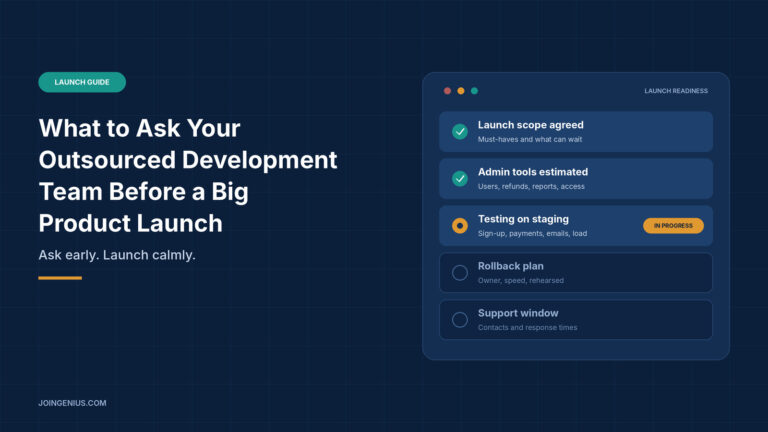
Launch week is a bad time to learn what your development team never built. The product works, the demo looks good and the date is set. Then someone asks how to refund a customer, and the answer is that a developer has to change it in the database. Nobody did anything wrong. Nobody asked.
Outsourced teams build what they are asked to build. If the brief and the questions skip the unglamorous parts, such as admin tools, testing, handover and support, those parts show up late and cost the most. If you are still deciding how to work with an outside team, this guide to software development outsourcing covers the engagement models and common pitfalls.
This guide covers the questions to ask before the build, before launch and after launch. It ends with a table of warning signs and what to do about each.
Why Launch Week Surprises Come From Questions Nobody Asked
Most launch problems are not technical failures. They are gaps between what the founder assumed and what the team understood. “Ready to launch” means one thing to a founder and another to a developer.
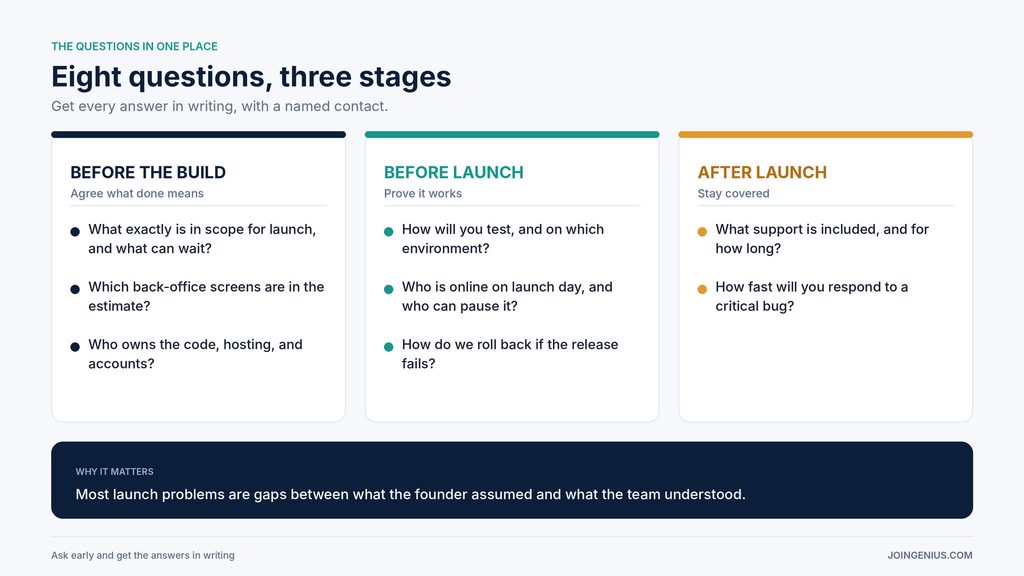
The fix is to ask early and get answers in writing. The questions fall into three stages: before the build, before launch and after launch. Here is the short version, and the sections below explain each one.
Ask What Is Actually in Scope for Launch
The most useful question is also the simplest: what exactly must be finished for launch, and what can wait? Without a clear answer, every feature feels equally urgent, and the team may spend the last weeks polishing the wrong things.
Ask the team to write a one-page launch scope. List what must work on day one, such as sign-up, payments and the core feature. List what can ship in the first month, such as extra reports or minor settings. Then agree that anything new goes on the second list unless you trade something off the first.
A short example shows why this matters. Suppose the launch includes a paid sign-up flow. “Done” might mean the payment works for a new customer, but a developer may not count refunds, failed cards or receipts as part of it. Writing those down turns a vague feature into a checklist both sides can sign off.
Ask them to flag the parts they are least sure about. Honest uncertainty early is far cheaper than a surprise later. It also tells you a lot about whether the team will be straight with you when things go wrong.
Admin Panels Eat Up More Development Time Than Founders Expect
Founders picture the customer-facing product. The team also has to build the screens that staff use to run it. These screens are easy to forget because they never appear in a pitch deck, but a launch without them means every small data fix goes through a developer.
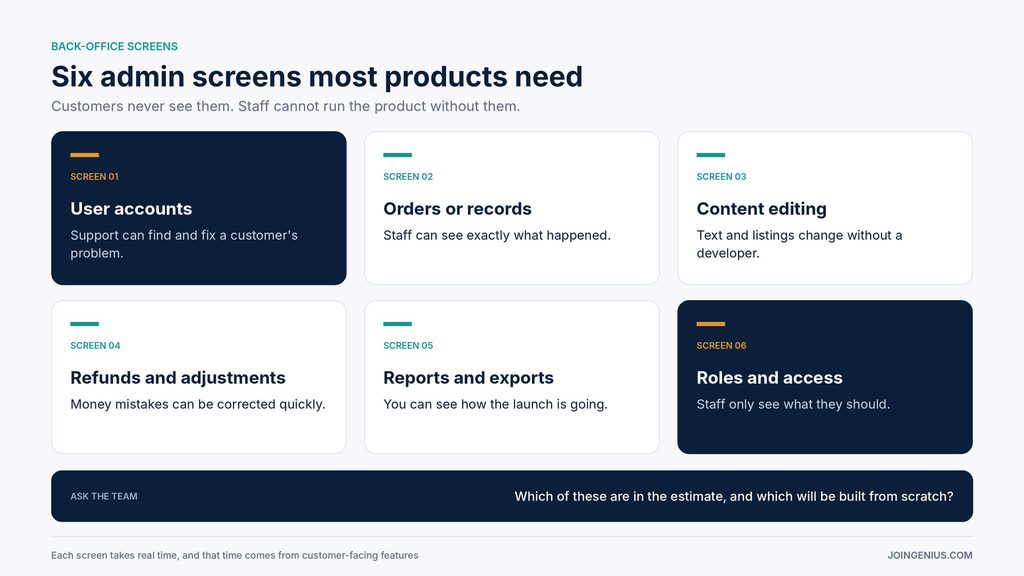
Most products need some version of six screens. User accounts, so support can find and fix a customer’s problem. Orders or records, so staff can see what happened. Content editing, so the team can change text or listings. Refunds and adjustments, so money mistakes can be corrected. Reports and exports, so you can see how the launch is going. And roles and access, so staff only see what they should.
Ask your team which of these are in the estimate and how they plan to build them. Writing each one from scratch takes real time, and it is time taken from the customer-facing features.
If your product runs on Laravel, an admin panel framework such as Backpack for Laravel can cut part of that work. Its page says it lets you quickly build create, read, update and delete pages for your entries, with 28 free column types and 28 free field types, plus drag-and-drop reordering and change history. It also says you can create custom fields, columns and pages, so you are not limited to the defaults.
Be clear on the limits. The core is free and open source, but the page lists filters, bulk actions and export as PRO features, and it describes paid services as well. It does not cover roles and permissions, performance or which Laravel versions it supports, so ask your team to confirm those before you commit. If your product is not built on Laravel, this does not apply, and your team may have a better option for your stack.
Ask How They Will Test Before Launch
“We tested it” is not an answer. Ask what was tested, where and by whom, and ask to see the results.
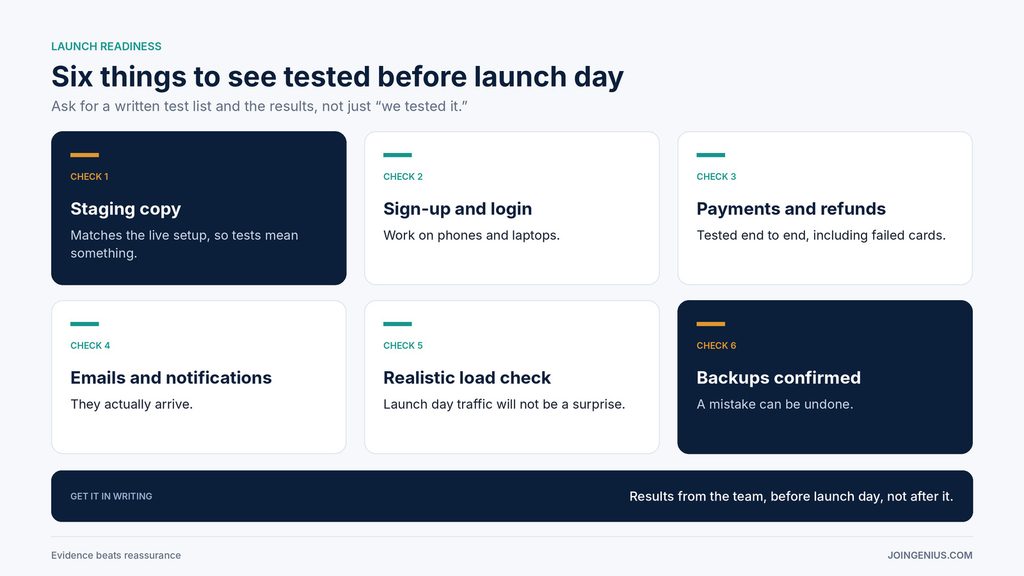
Look for six things. A staging copy that matches the live setup, so tests mean something. Sign-up and login working on phones and laptops. Payments and refunds tested end to end. Emails and notifications that actually arrive. A realistic load check, so you know what happens when launch day traffic shows up. And confirmed backups, so a mistake can be undone.
Ask for a written test list and the results. You do not need to read the code. You need evidence that the things your customers will do on day one have been done by someone first.
Ask About Ownership, Access and Handover
Many founders discover late that the repository, hosting account or domain sits in the vendor’s name. That is easy to fix early and painful to fix during a dispute.
Ask who owns the code, and ask for it in writing. Make sure the repository, hosting, domain and third-party accounts are in your name, with the team added as users. Ask what documentation they will hand over, such as setup steps and where each service is configured. If you have not worked through these questions before, this guide on what to ask before you outsource your first mobile app covers code ownership, testing and post-launch support from the vendor side, and most of it applies to any product.
Also ask what happens if the team becomes unavailable. A good partner will have an answer, because they have thought about handover.
Ask About the Launch Day Plan and Rollback
Launch day should have a plan, not just a date. Ask who will be online, for how long, and who has the authority to pause the launch if something breaks.
Then ask about rollback. If the new release has a serious problem, how quickly can the team go back to the previous version? Has anyone practiced it? A rollback plan that has never been tried is a hope, not a plan.
Agree on a short list of things to watch in the first hours, such as error rates, sign-ups and payment failures, and decide who checks them. It is much easier to fix a problem noticed in ten minutes than one noticed the next morning.
Ask About Support After Launch
The first week after launch is when real users find the issues testing missed. Ask what support is included and for how long. Ask how fast the team will respond to a critical bug, and how you should report one.
Put the answers in writing, with named contacts and response times. If support ends on launch day, ask what it would cost to extend it, and decide before you need it.
Warning Signs in a Team’s Answers, and What to Do About Each
Some answers should slow you down. The table below pairs each warning sign with what it may mean and a practical next step.
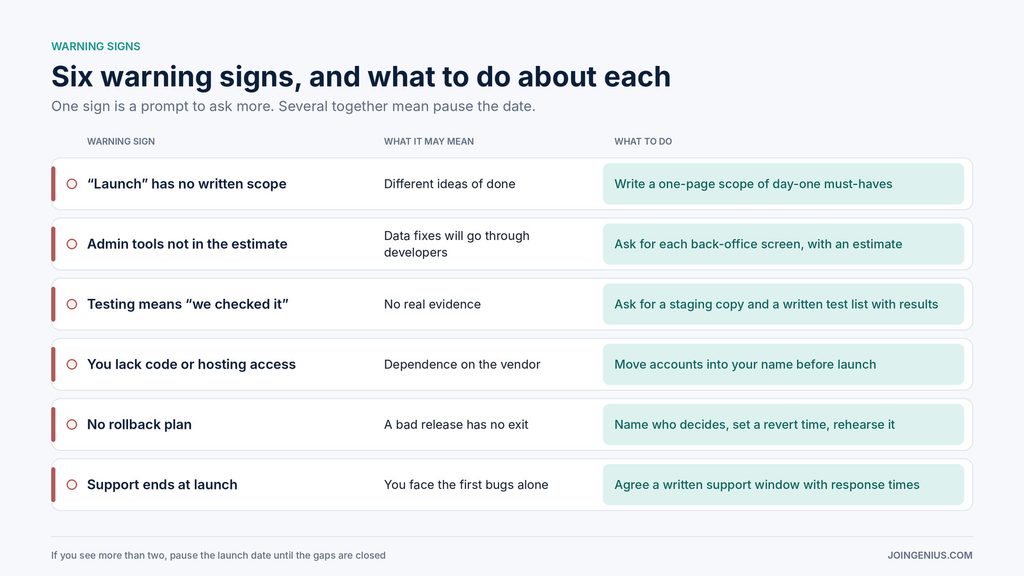
One warning sign does not always mean a bad team. Several together usually do. If you see more than two, pause the launch date until the gaps are closed, or bring in a second opinion.
Ask Early, Launch Calmly
A big launch does not need a perfect team. It needs a team that answers clear questions in writing. Agree the scope, find out which admin tools are missing, ask for test results, confirm ownership, plan the rollback and agree the support window.
A practical first step is to turn this article’s questions into a one-page checklist and send it to your team this week. Once the product is stable and ready, this guide to PR strategy shows how to turn a launch into coverage.