Your homepage loads like it is stuck in molasses. The development team promised a fix “by Friday” 3 Fridays ago. Meanwhile, you are wasting money while your competitors launch better sites, faster. If you are stuck in that kind of rut, offshore WP development can help you get back on track.
This guide shows you how to find the right offshore experts, cut costs by up to 70%, and finally turn that underperforming site into a high-converting machine without chasing freelancers or burning through your budget.
Offshore WP Development: All You Need To Know At A Glance

- Offshore WordPress development means hiring full-time remote WordPress experts from countries like India, the Philippines, or Latin America to build, maintain, or scale your site.
- You get top-tier developers without paying local rates, waiting months to hire, or dealing with freelancer churn.
- These teams offer structured support, follow WordPress coding standards, and specialize in complex work, from WooCommerce to multisite.
- It works best for digital agencies, startups, eCommerce stores, media companies, and nonprofits that need results fast without overspending.
- The right setup cuts costs by 50% to 70%, clears your backlog, and turns your underperforming site into a high-converting machine.
Here Are Some More Reads You’ll Like
🎯 Offshore Node Development: 9 Steps To Get Started (2025)
🌟 .NET Offshore Development Services: A Quick Starter Guide
💻 How To Work Efficiently With Agile Offshore Software Development
What Is Offshore WP Development & Who Uses It?

Offshore WordPress development is hiring remote WordPress experts from countries with lower labor costs, like India, the Philippines, or Latin America, to build, scale, or maintain websites. These developers are not freelancers. They are part of structured teams that follow standards, offer support, and work on your time frame. You get full-stack WordPress capabilities without the high price tag or long hiring cycles.
Here’s who benefits the most from offshore WP development:
- Digital agencies that need to offload recurring builds, maintenance, or overflow projects.
- eCommerce businesses that scale WooCommerce stores and product pages under tight deadlines.
- Startups that build custom MVPs or marketing sites before fundraising.
- Media companies that run content-heavy platforms like blogs, news portals, or membership sites.
- Nonprofits and NGOs that need modern, functional WordPress sites without burning through grants.
Offshore WP Development vs Local vs In-House WP Development
Use this table to decide exactly where offshore WP development fits into your business.
| Offshore WordPress Development | Local Freelancers Or Agencies | In-House WordPress Team | |
|---|---|---|---|
| Average Hourly Rate | $15–$50 | $70–$120 | Limited to the local market |
| Talent Availability | Global pool with deep WordPress specialization | Limited to the company’s hiring reach | Limited to the company’s hiring reach |
| Time Zone Coverage | NDA, ISO, and GDPR-compliant vendors | Same time zone | Fixed working hours |
| Hiring Flexibility | Full-time, part-time, or project-based | Usually project-based only | Fixed salaries and long-term contracts |
| Scalability | Scale up or down within 72 hours | Slower; limited availability | Weeks to months to hire or replace |
| Support & Maintenance | Often bundled into service models | May require separate contracts | Depends on team size and availability |
| IP & Security Control | Complex builds, ongoing updates, and performance tuning | Varies by provider | Full internal control |
| Best Use Case | Complex builds, ongoing updates, performance tuning | Simple websites, short-term tasks | Large organizations with long-term WP needs |
7 Offshore WP Development Benefits You Shouldn’t Ignore

Use this list to compare your current development setup and spot where offshore WP development can fill the gaps.
1. Cuts 50%–70% Off Your Development Budget
Offshore WP development teams in India, the Philippines, and Latin America charge $15-$50/hour. That is less than one-third of typical US or UK rates, which range from $70-$120/hour. You also avoid overhead costs like local payroll tax, benefits, and equipment. A standard 5-page site that costs $3,000 locally often costs $900 to $1,200 offshore. This alone adds up to savings of $25,000 to $50,000 per year for recurring projects.
2. Gets WordPress Experts Who Know The Stack Inside Out
You are not hiring generalists. Offshore teams often include full-time specialists in Elementor, WooCommerce, Gutenberg, Advanced Custom Fields, Web Vitals, and WordPress Command Line Interface. You also get developers who understand plugin security, schema markup, and multisite scaling.
You can outsource your most technical projects to these teams to speed up advanced work without training in-house staff. Many come with 5 to 10 years of experience and contribution histories in WordPress repositories.
3. Uses Time Zones To Ship Work While You Sleep
The best offshore teams deliver results while your in-house team is offline. This “follow-the-sun” model creates 24-hour workflows without burning out your local staff. For example, your internal team submits tickets by 6 pm, and the offshore team completes them by the next morning.
This doubles development velocity and speeds up website launches by 30% to 50%. LATAM teams are also ideal for companies in the US that need real-time support during working hours.
4. Helps Hire On Your Terms—Not Theirs
You can engage offshore WordPress teams through flexible setups. Choose from project-based pricing, dedicated full-time developers, hourly staff, or Build-Operate-Transfer models. This helps you avoid long-term contracts and only pay for what you need. You can also replace or pause resources without penalty, something rarely possible with in-house staff or agencies.
5. Let’s You Scale Your Team In 72 Hours
Offshore providers let you scale your team up or down without waiting months. Add developers in under 3 days to meet product deadlines, seasonal peaks, or rapid growth. You skip the 4-week hiring cycle and cut time-to-hire by up to 80%. Once work slows down, you can scale back without legal risk or severance issues. This keeps your development budget lean while staying prepared for demand spikes.
6. Fixes, Patches, & Maintains Without Lifting A Finger
Ongoing support is often built into offshore contracts. These teams handle plugin updates, performance tuning, uptime monitoring, and security patches. You get a continuous delivery pipeline that improves your WordPress site’s speed, Core Web Vitals, and reliability. Many providers include 24/7 monitoring, so issues are resolved before your local users even notice. This reduces site-related downtime and emergency tickets by up to 60%.
7. Taps Into Services Local Teams Rarely Offer
Need to migrate to multisite, integrate with a custom API, or build a membership system from scratch? Offshore WordPress teams already have playbooks for these exact needs. Unlike local freelancers who rely on plugins for everything, offshore specialists build from scratch when needed. That is why agencies rely on offshore teams for high-performance themes, multilingual SEO setups, and customized WooCommerce workflows.
“Offshore WordPress development is a precision model for teams that value velocity without sacrificing quality.”
— Burkhard Berger, Founder & CEO at Genius
Offshore WP Development Setup: How To Do It Right In 8 Simple Steps

Walk through this setup checklist and fix the weak spots in your offshoring process before you start.
Step 1: Lock in The Scope & Define What Success Looks Like
Your offshore team cannot hit a goal you never define. Lock in the scope, page count, plugins, themes, and deadlines before any handoff.
- Define the type of WordPress site: marketing, eCommerce, blog, or multisite.
- List the exact pages, functions, plugins, and integrations you need.
- Set technical targets like Core Web Vitals, page speed, and load time.
- Define success in numbers: launch date, bounce rate drop, and conversion lift.
- Build a scope-of-work document and circulate it across teams.
Step 2: Pick The Hiring Model That Matches Your Workflow
Not every offshore model fits your internal rhythm. Some projects need sprint-ready staff, others need a team that stays with you long term.
- Choose project-based if your scope is fixed with a clear handoff.
- Go with dedicated full-time hires for long-term builds or maintenance.
- Use hourly models for overflow, bug fixing, or small tweaks.
- Consider Build-Operate-Transfer for long-term control at low cost.
- Avoid retainers unless your volume justifies them month to month.
Step 3: Choose The Right Region Based On Speed, Cost, & Coverage
Rates vary. So do time zones, work overlap, and talent density. The right region depends on your budget and whether you need live collaboration.
- India: $15–$35/hour, wide talent pool, ideal for complex builds.
- Philippines: $18–$35/hour, great for support and WooCommerce.
- Latin America: $25–$50/hour, real-time support for US hours.
- Eastern Europe: $30–$60/hour, ideal for enterprise-grade sites.
- Balance overlap hours, rate, and fluency for your top priorities.
Step 4: Vet Developers The Same Way You Vet Internal Hires
Too many teams skip real screening because the hire is offshore. That is how you end up with slow work, broken plugins, or support blackouts.
- Ask for WordPress-specific portfolios with version numbers and plugin names.
- Use a real-world test task with a 2-day turnaround limit.
- Check GitHub or code samples for structure, security, and logic.
- Interview them on how they handle Web Vitals, page builders, and theme logic.
- Require written communication samples if they are client-facing.
Step 5: Lock Down The Legal & Contract Setup Before You Start
Do not wait until the first delay or data breach to think about contracts. Your vendor should hand you airtight documentation before kickoff.
- Sign a mutual non-disclosure agreement that covers code, data, and content.
- Ask for proof of ISO compliance or other security certifications.
- Lock in who owns the code and all deliverables with a transfer clause.
- Add a fixed delivery team clause to avoid bait-and-switch swaps.
- Cap ramp-up, delay, or termination fees before the first invoice.
Step 6: Use A Trial Task Before Every Long-Term Hire
Every offshore WordPress hire must pass a real test before you commit. A trial saves you from weeks of slow progress and missed details.
- Assign a 2 to 3-day project like building a responsive custom block.
- Ask for Loom walkthroughs, GitHub commits, and written task notes.
- Review if they follow WordPress coding standards and Gutenberg structure.
- Check how they name files, structure folders, and document functions.
- Score the task using a simple rubric: speed, quality, and communication.
Step 7: Set Up Workflows Before The First Line Of Code
Do not wait for things to break before you set a process. Good tools and workflows create predictable outcomes, even across time zones.
- Pick tools: Slack for handoffs, GitHub for code, ClickUp or Jira for sprints.
- Use a staging environment on WP Engine, Flywheel, or your stack.
- Create folder rules, push schedules, review cycles, and sprint calendars.
- Document the process in Notion, Confluence, or internal wikis.
- Assign clear owners for tickets, code pushes, and signoffs.
Step 8: Track Progress With Metrics That Actually Show Progress
Many teams ship slow because no one tracks the right numbers. You need metrics that reflect both output and quality, not just hours spent.
- Use cycle time, commit volume, and bug count instead of just hours logged.
- Review velocity per sprint and backlog clearance per week.
- Set targets for page speed, Web Vitals, and Core update readiness.
- Use review gates: staging to QA, QA to production, and post-launch health.
- Share weekly scorecards across teams to catch issues early.
📢 Did You Know?
80% of executives plan to maintain or increase third-party outsourcing efforts.
5 Offshore WP Development Best Practices That Will Help You Win
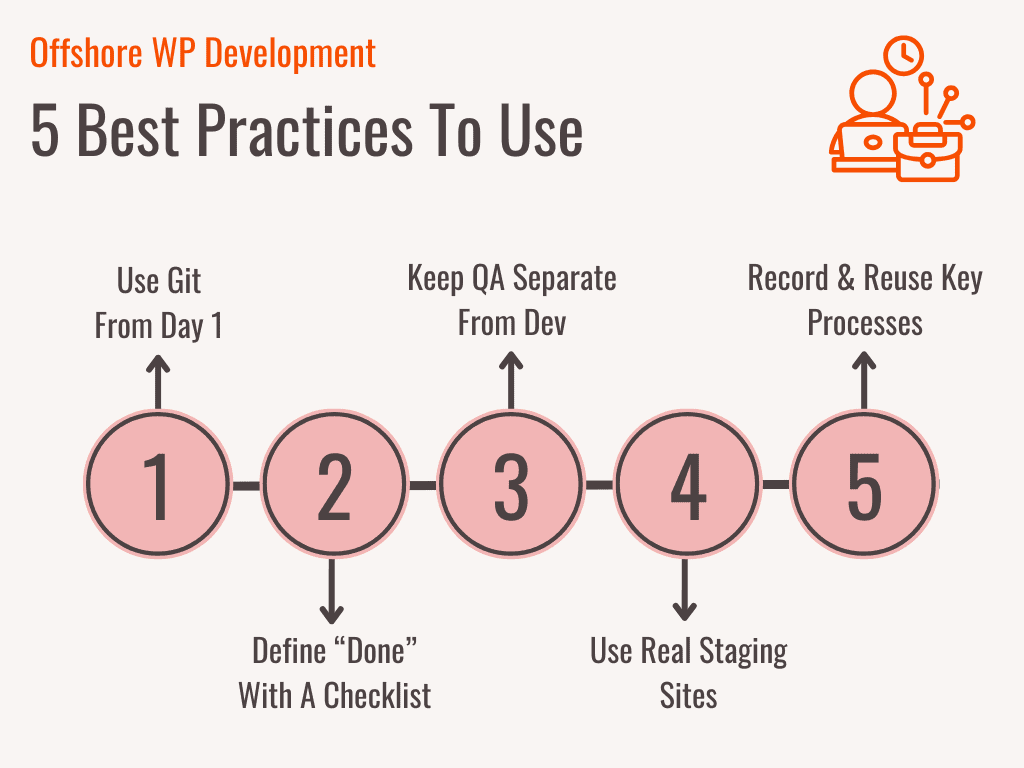
Review this list and hardwire these practices into your process before you brief your next offshore hire.
1. Use Git From Day One Or Prepare For Chaos
Without version control, projects turn into guesswork. Git gives every task a clear commit history, rollback option, and review point. It also forces discipline: developers must name branches, write commit messages, and push to staging in structured steps.
For teams that ship across time zones, Git is the only way to know what changed, when, and why. Skip this, and you risk merge disasters, overwritten fixes, and undocumented bugs.
2. Define “Done” With A Checklist, Not A Feeling
Offshore WordPress work can go sideways fast when teams assume the job is done. The fix: write a clear definition of done for every deliverable. This includes functional output, design signoff, test coverage, plugin compatibility, and documentation. Use this as a go/no-go gate before every ticket closes. When everyone knows what “done” means, review cycles drop by 40% and finger-pointing disappears.
3. Keep QA Outside The Development Team
Never let the same person code and sign off on their own work. Offshore teams often try to multitask development and QA to save hours, but this cuts quality in half. Set up an independent test lane (internal or external) that reviews every push before it hits production. This separates build from validation and catches bugs the developer no longer sees. It also reduces production-level bugs by up to 60%.
4. Use Real Staging Sites, Not Zip Files
Do not review work through screenshots or zipped folders. Offshore teams must deploy to a live staging site with the same tech stack as your main site. This lets you test speed, layout, mobile UX, plugin conflicts, and SEO issues in real conditions. Without this, most errors show up post-launch when fixes cost 3x more. Use a staging host like WP Engine, Flywheel, or Kinsta, and enforce it on day one.
5. Record Everything That Matters Once—Then Reuse It Forever
Offshore handoffs break when knowledge lives in chat threads or disappears with turnover. Create evergreen walkthroughs for every major flow using Loom, Notion, or Google Docs. This includes project overviews, deployment steps, theme logic, API rules, and QA protocols. It cuts onboarding time by 70% and reduces knowledge loss between projects, handoffs, or replacements.
“The best offshore WordPress hires are structured thinkers who build with scale, speed, and security in mind.”
— Christian Cabaluna, Senior Recruiter at Genius
5 Strategies To Hire The Best Offshore WP Developers

Use these 5 strategies to shortlist your next offshore WP candidate.
- Start with platforms that pre-vet for you: Skip generic marketplaces and source from platforms that pre-screen for WordPress-specific skills, Git workflows, and timezone availability. This alone filters out 70% of unqualified applicants.
- Score for stack fit, not just years: Look for hands-on experience with Elementor, WooCommerce, Gutenberg, Advanced Custom Fields, WordPress Command Line Interface, and WP REST API. A candidate with 3 years of focused stack experience will outperform a generalist with 8.
- Use a trial task to confirm real-world output: Assign a paid test project with clear success criteria, like a custom block build using Gutenberg, staged on WP Engine, and documented with Git commits. This step flags 4 out of 5 mismatches before they cost you a full sprint.
- Ask interview questions that prove depth, not just basics: Dig into Core Web Vitals handling, past work on multisite builds, deployment flows, or performance tuning strategies. Also, ask how they manage staging environments and version control. This is where surface-level resumes fall apart.
- Reject candidates without GitHub, repositories, or case studies: Any offshore WP applicant who cannot show version-controlled work or site performance metrics is a hard no. If they cannot provide a GitHub link, annotated repositories, or 3 concrete site examples with plugin lists and deployment notes, move on.
Top 5 Offshore WP Development Companies: A Quick Overview
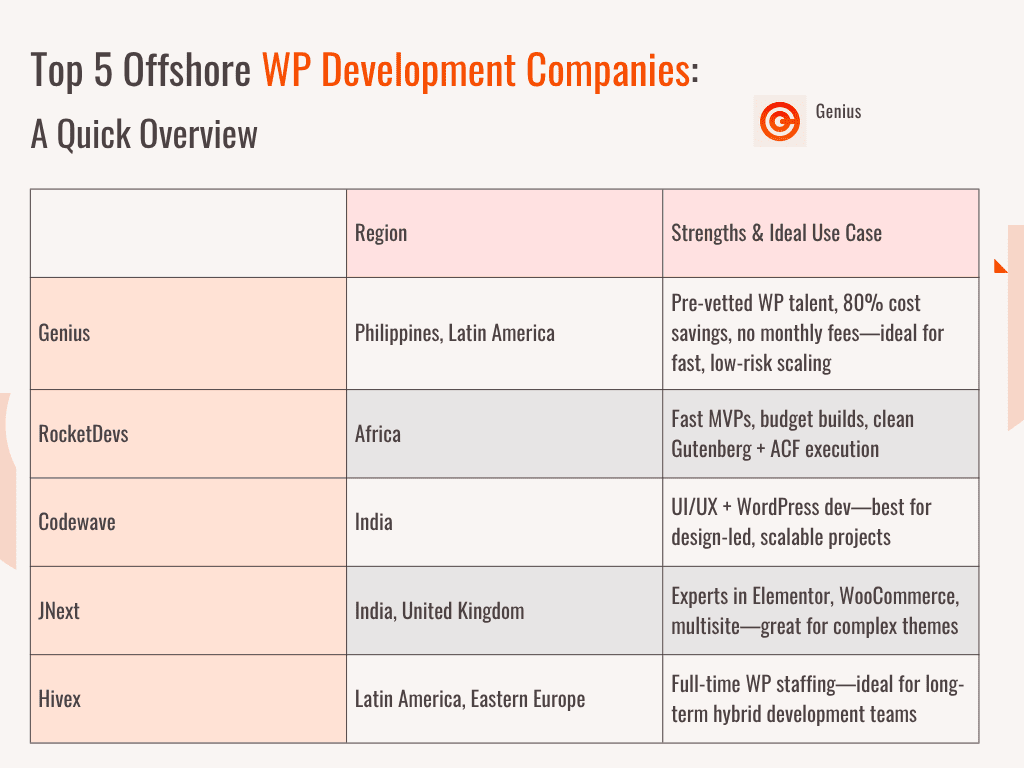
Scan this table of offshoring companies against your current needs and match budget, speed, and specialization.
| Company | Region | Strengths & Ideal Use Case |
|---|---|---|
| Genius | Philippines, Latin America | Pre-vetted WP talent, 80% cost savings, no monthly fees. Ideal for scaling fast without risk. |
| RocketDevs | Africa | Fast startup MVPs, budget-sensitive builds, and clean Gutenberg and ACF execution. |
| Codewave | India | UI/UX plus WordPress development. Best for design-first projects and scalable sites. |
| JNext | India, United Kingdom | Elementor, WooCommerce, multisite specialists. Great for complex theme-based projects. |
| Hivex | Latin America, Eastern Europe | Full-time dedicated WP staffing. Works well for long-term hybrid teams. |
ℹ️ Interesting Fact
59% of enterprises reported measurable cost savings with nearshore software development.
7 Common Offshore WP Development Services You Can Outsource

Match this list against your backlog and delegate the most time-consuming WordPress tasks first.
- Custom WordPress theme development: Build lightweight, responsive themes that follow WordPress coding standards and support page builder compatibility.
- Plugin development & customization: Create or modify plugins to meet specific features, integrations, or automation needs without slowing the site.
- WooCommerce development: Set up, scale, or optimize stores with custom product flows, payment systems, and checkout logic.
- WordPress maintenance & support: Cover daily tasks like plugin updates, site backups, uptime monitoring, and troubleshooting.
- Migration services: Move sites between hosts, staging environments, or CMS platforms with no data loss or SEO drops.
- Performance optimization: Improve load speed, Core Web Vitals, and backend efficiency across desktop and mobile apps.
- Security hardening: Patch vulnerabilities, enforce firewall rules, run malware scans, and add multi-layer login protections.
How Much Does Offshore WP Development Cost? Comparing 5 Key Regions

Most offshore WordPress teams cost $15 to $60 per hour, depending on location, specialization, and project scope. Project-based rates range from $500 for a basic site to $5,000 for complex builds. Total cost drops further when you factor in 0 payroll tax, reduced overhead, and built-in support.
The 5 Key Regions To Consider For Offshore WP Development
Review this breakdown to match your budget, support needs, and technical depth.
| Region | Hourly Rate (USD) | Best For |
|---|---|---|
| Philippines | $18–$35 | Support tasks, WooCommerce stores, and virtual assistant coverage |
| India | $15–$35 | Complex builds, backend logic, and large-scale WordPress systems |
| Latin America | $25–$50 | Real-time collaboration, frontend UX, and marketing site builds |
| Nigeria | $20–$40 | Cost-effective full-stack work with English communication |
| Eastern Europe | $30–$60 | High-performance and secure enterprise-grade WordPress builds |
5 Offshore WP Development Challenges & How To Overcome Them

Scan this list before your next vendor call.
- Vendors who rotate teams without notice: Lock in a fixed delivery team clause in your contract. This cuts knowledge loss by 80% and prevents slowdowns caused by mid-sprint staff changes.
- Hidden onboarding, exit, or ramp-up fees: Scrutinize all clauses before you sign anything. Flag any cost without a ceiling or trigger, especially those that add 15% to 25% after project handoff.
- No backups or rollback checkpoints: Enforce weekly backups, staging syncs, and Git-based rollback workflows. This prevents full-site failures and reduces restore time from hours to minutes.
- Low-code work that breaks at scale: Ban drag-and-drop builds for high-traffic pages. Require coded themes, clean plugin usage, and PHP-based custom blocks for performance beyond 100,000 monthly sessions.
- Blocked access to source files or admin panel: Never start until your access to WordPress admin, cPanel, GitHub, and staging environments is active. It avoids 70% of launch delays and security disputes later.
💭 Food For Thought
Offshoring to the Philippines can reduce labor costs by up to 70% compared to the US.
5 Scenarios Where Offshore WP Development Works Best (And When It Doesn’t)

Match your current workflow, budget, and deadlines against the use cases below.
When Offshore WP Development Works:
- You need to launch fast (under 3 weeks).
- Your budget is under $3,000.
- You need overnight or weekend delivery cycles.
- You update pages or content every month.
- You need WooCommerce, SEO, or plugin experts.
When Offshore WP Development May Not Work:
- You need in-person or daily live check-ins.
- You have no time for handoffs or feedback.
- You handle sensitive or regulated data.
- You need delivery in under 72 hours.
- You only need a one-time fix or microtask.
Conclusion
Offshore WP development is more than just a cost move. It’s a speed move. A control move. A survival move. You have seen how the right setup slashes costs, clears backlogs, and replaces “maybe next sprint” with “already live.” And now you know exactly how to do it without gambling on the wrong partner.
That is where Genius comes in. We headhunt elite offshore WordPress talent—pre-vetted, full-time, and built to perform. We do not merely sell development hours. Plus, there are no monthly fees. No drop-offs. Just serious WordPress horsepower at 80% less.
FAQs
What are the most common tools used in offshore WP development?
Offshore WordPress teams often rely on GitHub for version control, Slack or Microsoft Teams for communication, ClickUp or Jira for task management, and WP Engine or Kinsta for staging environments.
Can offshore WP developers handle multilingual websites?
Yes. Many offshore teams specialize in multilingual SEO and custom translation setups using plugins like WPML or Polylang, combined with schema markup and hreflang implementation.
How is intellectual property handled in offshore WP development?
Ownership typically depends on your contract. A solid offshore agreement should include IP transfer clauses, source code rights, and protections tied to non-disclosure and non-compete terms.
What WordPress page builders do offshore teams usually work with?
Elementor, Gutenberg, WPBakery, and Beaver Builder are the most common. Advanced offshore teams also build custom blocks or themes for higher performance and flexibility.